


Updated April 3, 2026
QuickBooks Alternatives for SaaS Companies: Features and Comparison Guide
Table of Contents
Choosing the right accounting software can feel like trying to fit a square peg in a round hole—especially for SaaS companies with their unique subscription models and recurring revenue challenges. QuickBooks has long been the go-to, but many growing SaaS businesses find its features don’t quite match up with their needs or budgets.
That’s why exploring alternatives tailored specifically for SaaS makes sense. In this guide, we’ll break down what to look for and compare top options that help keep your finances clear, efficient, and ready to scale.
For SaaS companies, top QuickBooks alternatives in 2026 include Xero, Zoho Books, and FreshBooks, each offering scalable features tailored to subscription-based business models.
Xero stands out with unlimited users and robust collaboration tools; Zoho Books integrates seamlessly with other Zoho ecosystem apps, while FreshBooks excels in client management for service-oriented SaaS firms.
Disclaimer: If you buy something using the links in this article, I may receive a commission at no extra cost to you.
Know that I only promote stuff that I use and trust for the sake of my readers and the reputation of this site.

Need for QuickBooks Alternatives in SaaS
Many SaaS firms have found that QuickBooks, while popular, doesn’t always align well with the specific demands of subscription-based business models. A frequent complaint is its increasing prices, which can exceed the budget limits of smaller SaaS companies. This adds cost and complexity to already challenging financial operations.
QuickBooks also includes many features tailored for traditional businesses that don’t fit the unique intricacies of SaaS revenue models.
SaaS companies prioritize monitoring metrics such as Monthly Recurring Revenue (MRR), managing subscription lifecycles, handling proration, and automating billing renewals. These are central tasks for tracking growth and forecasting cash flow.
QuickBooks often treats these needs as secondary, leading teams to use manual spreadsheets or disconnected add-ons that complicate rather than simplify workflows.
Approximately 60% of SaaS companies reported leaving QuickBooks due to cost concerns. Around 40% cited the lack of SaaS-specific features as a critical problem in effectively managing their finances. This tension between price and functionality drives interest in more specialized alternatives.
Integration capabilities are another vital factor. SaaS workflows depend on smooth connections between accounting software, customer relationship management (CRM) systems, payment gateways, and subscription platforms.
While QuickBooks supports many integrations, some competing solutions focus on tighter, native integration within the SaaS tech stack. This focus helps reduce setup effort and improves data accuracy across platforms.
The goal is software that minimizes manual work and offers clear visibility into recurring revenue health—without adding unnecessary complexity. Products like Xero and Zoho Books stand out by balancing pricing, usability, and SaaS-specific functionality.
These tools provide automated bank reconciliation, unlimited multi-user collaboration, and customizable dashboards—features that greatly aid managing complex SaaS finances.
When moving away from QuickBooks, it’s essential to assess each alternative’s support for subscription billing, integration quality with existing systems, and pricing scalability for growth. The right choice can save money while enabling smoother expansion and smarter financial planning.
With this context on why specialized software matters for SaaS accounting, we can now examine the particular features that define an ideal platform for these businesses—highlighting what makes some solutions better suited than others to handle subscription-centric finances.
Key Features for SaaS Accounting
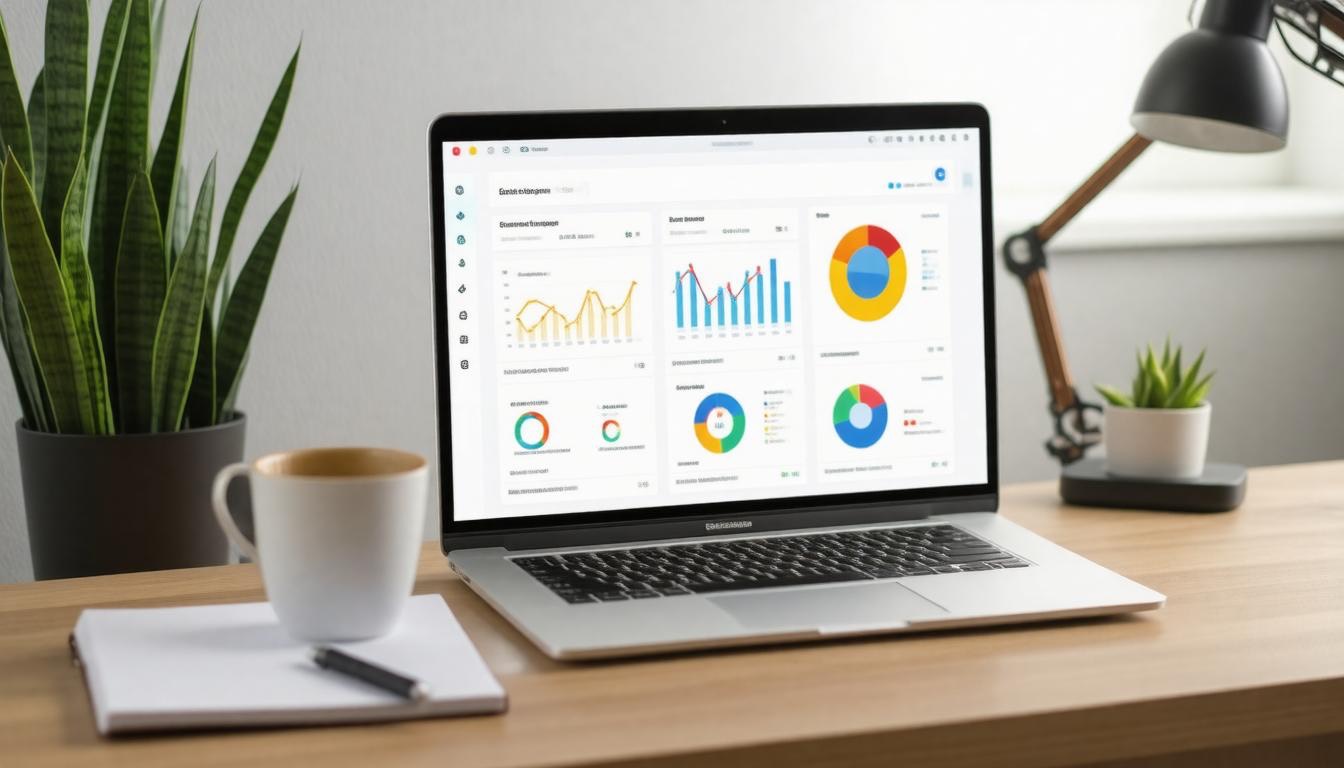
Our businesses rely heavily on automation to handle the complexity of recurring revenue, which means recurring billing is at the heart of any capable accounting solution. When invoices and payments are generated automatically on a fixed schedule—monthly, yearly, or custom cycles—it not only saves countless hours but also improves cash flow predictability.
Manually invoicing hundreds or thousands of customers simply doesn’t scale, so incorporating this feature seamlessly into our accounting system is critical.
Beyond automation, subscription-based companies experience frequent changes—customers upgrade plans, pause subscriptions, or cancel altogether. This is where subscription management becomes crucial. It’s not enough to bill on a regular cadence; we need to track and adjust customer subscriptions accurately to reflect their current status in real time.
This dynamic management ensures our revenue recognition remains compliant with regulations like ASC 606 and IFRS 15, while also providing clear visibility into our monthly recurring revenue (MRR) and churn metrics.
Another vital component is revenue recognition compliance. SaaS revenues often come with deferred income when subscriptions span multiple accounting periods. Properly recognizing this revenue over time, rather than upfront, aligns financial reporting with business performance and investor expectations.
Without automated adherence to these standards, businesses risk misreporting earnings and causing compliance headaches during audits.
As we consider these critical areas, integration capabilities emerge as a defining factor between a good accounting tool and an excellent one.
Many SaaS teams connect their accounting software with specialized platforms like ChartMogul or ProfitWell to track granular metrics such as customer lifetime value (LTV), churn rate, and average revenue per user (ARPU). An ideal system offers robust APIs for seamless data flow between billing, CRM, analytics, and finance departments.
This interconnected ecosystem empowers us to make informed decisions quickly—whether adjusting marketing spend based on real-time MRR trends or forecasting growth with precision.
Expense tracking tailored for SaaS projects also deserves mention here. Allocating costs accurately across development teams or product lines sharpens profitability analysis. The ability to break down expenses related specifically to server infrastructure, customer acquisition cost (CAC), or R&D facilitates smarter budgeting and resource allocation.
Security never takes a back seat either. We require user access controls that allow us to define permissions meticulously—ensuring sensitive financial data is shielded from unauthorized eyes while enabling collaborative workflows across finance teams and external accountants. Maintaining detailed audit trails bolsters compliance readiness by documenting every transactional change transparently.
“Choosing an accounting solution that can scale alongside our company’s growth and adapt to the evolving nature of SaaS billing isn’t just a preference—it’s essential to maintain operational efficiency and financial health.”
| Feature | Why It Matters for SaaS | What to Look For |
|---|---|---|
| Recurring Billing | Automates predictable invoicing/payment cycles | Flexible schedules, multiple payment methods |
| Subscription Management | Handles upgrades/downgrades/pauses dynamically | Real-time subscription status updates |
| Revenue Recognition | Ensures compliance with ASC 606 / IFRS 15 | Deferred revenue handling & audit-ready reports |
| Integration & API Access | Syncs billing data with analytics & CRM tools | Pre-built connectors + developer-friendly APIs |
| Expense Tracking | Allocates costs accurately across projects | Detailed tagging by department/product line |
| User Access Controls | Protects sensitive financial information | Role-based permissions + comprehensive audit logs |
Selecting a SaaS-focused accounting platform requires more than price comparison—it demands understanding how each feature contributes not only to balance sheets but also to operational agility and strategic insight.
By emphasizing these core capabilities—automation of recurring processes, precise subscription oversight, airtight compliance measures, seamless integrations, meticulous expense tracking, and strong security controls—we position our finance teams for both accuracy today and scalability tomorrow.
With a clearer picture of what makes an effective SaaS accounting platform, it becomes necessary to examine how these systems handle the equally important functions of client-facing invoicing and seamless payment processing.
Invoicing and Payments Comparison

When it comes to invoicing and payments, the lifeblood of any SaaS company, the subtle differences between platforms can deeply impact how smoothly your billing process flows. For us, a system that handles recurring billing efficiently is non-negotiable—after all, subscription models demand consistent customer engagement without manual intervention every month.
QuickBooks, while popular, offers only limited recurring billing capabilities, which pushes many companies to explore alternatives like Zoho Books or FreshBooks that bring more sophisticated automation to the table. These platforms allow us to set up recurring invoices with ease, automatically sending reminders and processing payments seamlessly, minimizing late payments and maximizing steady cash flow.
Payment gateways are another critical aspect where nuances across platforms shape user experience and operational efficiency. Both Zoho Books and Wave provide integration with multiple gateways, accommodating varied customer payment preferences globally—which is especially important for SaaS companies with diverse clientele.
FreshBooks stands out for focusing on Stripe and PayPal integrations, aligning well with users prioritizing these trusted processors. This specialization simplifies setup but can limit options if your customers prefer other methods. A system’s compatibility with various gateways not only ensures timely payments but also reduces friction in customer transactions, translating directly into better retention rates.
Beyond functionality, customization of invoices plays an unexpectedly large role in brand perception and client communication.
Custom invoices give us the chance to personalize how we present our billing information—an opportunity many SaaS companies overlook. Platforms like Zoho Books and FreshBooks shine here by allowing high levels of invoice customization. We can tailor templates with logos, adjust layouts, and include personalized messages or detailed breakdowns of services.
This attention to detail reinforces our professionalism and builds trust; after all, a clear, attractive invoice reflects the care we put into our product and customer relationships. In contrast, QuickBooks offers only limited customization options that may fall short for companies wanting to differentiate their brand visually.
Automation is yet another pillar that differentiates top-tier accounting solutions from basic ones. It’s about more than just sending invoices automatically—it’s about creating workflows that handle payment reminders, dunning management (the process of following up on overdue payments), and reconciling transactions without manual oversight.
Zoho Books and FreshBooks both incorporate advanced automation that takes much of this administrative burden off our shoulders, allowing our teams to focus on growth rather than chasing down payments. QuickBooks’ moderate automation capabilities work fairly well but often require periodic manual input which accumulates time costs over months.
| Aspect | Importance for SaaS Companies | What to Look For |
|---|---|---|
| Recurring Billing | Ensures uninterrupted revenue by automating renewals | Flexibility in frequency changes & trial period support |
| Payment Gateways | Enables global payments easily & securely | Multiple gateway integrations & low transaction fees |
| Invoice Customization | Builds brand credibility through clear communication | Ability to add logos, custom fields, tailored layouts |
| Automation | Reduces administrative overhead with streamlined tasks | Automatic reminders, dunning processes & payment reconciliation |
Choosing the right invoicing and payment solution depends on balancing sophistication with ease of use and budget constraints. While QuickBooks remains a solid entry point due to its familiarity and ecosystem integrations, SaaS companies looking to scale often find themselves drawn toward Zoho Books or FreshBooks because of their superior feature sets tailored specifically for subscription-based revenue models.
Understanding these variations sharpens our decision-making as we manage finances more effectively. Next, we turn our focus to mastering cost control techniques vital for maintaining profitability through precise expense tracking.
Tracking Expenses Effectively

Managing and tracking expenses efficiently forms the backbone of any healthy SaaS company’s finances. It’s not just about dumping receipts into a folder or hoping your software catches everything—it’s about having a clear, organized view of where your money flows so you can make informed decisions.
Too often, businesses find themselves wondering if they overspent or questioning how profitable certain projects really are because their expense tracking was incomplete or too generic.
While QuickBooks offers automated expense categorization, its broad categories don’t always capture the nuanced spending types typical to SaaS companies—think subscriptions to cloud platforms, fees for development tools, third-party API costs, or even specialized marketing campaigns.
This lack of specificity means critical spending details might get buried or lumped into vague buckets, making it tough to see exactly what’s eating into your budget.
That’s where platforms like Zoho Books and Xero step in with more refined categorization options tailored for modern businesses. They allow us to create custom expense categories specific to SaaS operations—whether it’s itemizing developer salaries separately from contractor fees, or breaking down cloud hosting charges distinct from software licenses.
By tagging these expenses correctly, we gain an immediate, granular understanding of our cost structure. This clarity enables smarter budgeting and exposes opportunities to optimize spend.
Furthermore, capturing expenses at the point of transaction is key to accuracy. Both Zoho Books and Xero facilitate real-time expense recording via mobile apps or browser extensions that link directly to bank accounts and credit cards. This automation reduces manual entry errors and improves timeliness—no more end-of-month surprises where receipts have gone missing or data was entered incorrectly.
One important insight is that effective expense tracking also supports proper tax compliance and reporting. With detailed categories that match industry requirements and clearer audit trails for SaaS-specific costs, preparing financial statements or filing returns becomes less tedious and far more accurate.
Consider this: expense tracking accuracy rates reported by users rate Xero at 95% and Zoho Books around 90%, compared to broader accounting solutions hovering near 85%. These figures reflect better confidence in categorization quality, which ultimately reflects in financial decision-making.
To maximize expense management, it helps if the accounting platform offers integrations with payment services, vendor portals, and internal procurement systems—this further streamlines data flow while maintaining consistency across departments.
Choosing an accounting tool that respects the unique spending patterns of SaaS companies not only simplifies bookkeeping but empowers us with sharper insights on profitability and cash flow management. It moves us away from generic “catch-all” categories and towards precise financial control tailor-made for our industry’s intricacies.
Understanding these fundamental needs sets the stage for evaluating specific software offerings designed to fit SaaS companies’ complex workflows. The next section explores the leading contenders in this evolving market landscape.
Top Alternative Solutions

Zoho Books stands out as a powerful contender for SaaS companies seeking a comprehensive accounting platform. What sets it apart is its deep integration with Zoho CRM, which many of us appreciate for keeping customer and financial data harmonized in one place.
This linkage means we can effortlessly manage subscriptions and automate recurring billing—a feature crucial for software-as-a-service operations where steady cash flow depends on accurate, timely invoicing and payment tracking.
Beyond that, Zoho Books offers extensive automation for workflows and intuitive dashboards that allow us to keep a close eye on our profitability and cash flow without feeling overwhelmed by complexity.
Transitioning from QuickBooks can sometimes feel like venturing into unknown territory, but Zoho’s user interface was designed with simplicity in mind; it doesn’t sacrifice sophistication for ease of use. This balance proves particularly beneficial when multiple team members need access, fostering collaboration without bottlenecks.
Since many SaaS businesses scale quickly, having these tools integrated with our CRM and sales pipelines ensures everyone—from finance to marketing—can stay aligned.
Moving beyond Zoho Books, Xero is another alternative that earns its reputation through sheer usability paired with robust features suited for growing SaaS enterprises. Unlike QuickBooks’ often restrictive user limits, Xero provides unlimited users, encouraging transparency across teams irrespective of size.
This wide accessibility allows finance managers, accountants, and even executives to access real-time data whenever required without additional cost or permissions hassle.
What’s more, Xero shines with advanced financial reporting capabilities that help us drill down into detailed metrics—whether it’s tracking revenue recognition or expense categories—which can be pivotal when identifying opportunities or risks in our subscription pricing strategies.
One aspect we find particularly appealing about Xero is its cloud-native architecture; updates roll out seamlessly without disrupting operations, letting us focus on growth rather than maintenance headaches.
The ecosystem around Xero also includes numerous app integrations covering everything from payroll to inventory management—which can be a lifesaver when juggling diverse operational needs across departments.
Then there’s FreshBooks, a solution initially designed with freelancers in mind but increasingly popular among small SaaS providers who prioritize simplicity and client management efficiency. Its billing system excels at generating professional invoices quickly, complete with customizable templates and automated reminders—features that reduce the time spent chasing payments.
For those of us who work closely with clients or consultants, FreshBooks helps maintain smooth communication channels via built-in time tracking and expense logging tools tied directly to specific projects or customers.
According to recent surveys, about 45% of SaaS companies find Zoho Books more effective than QuickBooks because of its tailored subscription billing features and integration flexibility. This statistic highlights a broader trend—many SaaS businesses require specialized solutions that consider their unique revenue models rather than generic accounting tools.
Choosing the right platform often comes down to prioritizing what matters most to our workflow: whether that’s seamless CRM integration like Zoho Books offers, user-friendly access coupled with advanced reporting found in Xero, or streamlined invoicing and client communications provided by FreshBooks.
Taking time to evaluate these options against our specific needs—not just based on popularity—is key to empowering our SaaS operations with the financial clarity they deserve.
With these platforms each bringing distinct advantages, understanding their cost structures and how they scale will be critical as we navigate budgeting and growth strategies ahead.
Cost Considerations

Cost is undeniably one of the most critical factors that drive decision-making for SaaS startups and growing businesses alike. Unlike established enterprises with deep pockets, these companies frequently operate on tight budgets, where every dollar must earn its keep.
While QuickBooks offers a robust set of features, those capabilities often come bundled behind additional fees for add-ons—features that alternative platforms may include as part of their base packages. This distinction can significantly affect total monthly expenses and financial flexibility.
The challenge goes beyond sticker price; it’s about understanding the all-in cost required to run accounting smoothly without surprises. For example, QuickBooks might list a baseline monthly fee that seems reasonable initially, but once you factor in add-ons essential for SaaS operations—like advanced inventory tracking, multi-currency support, or project profitability tools—monthly bills can escalate quickly.
In contrast, platforms like Zoho Books and Xero provide these important features without extra charges, delivering more predictable budgeting.
Here’s a simple cost comparison to illustrate this:
| Software | Monthly Base Cost | Extra Features Cost | Total Estimated Monthly Cost |
|---|---|---|---|
| QuickBooks | $70 | $30 | $100 |
| Zoho Books | $50 | Included | $50 |
| Xero | $55 | Included | $55 |
This table underscores a crucial point for SaaS companies: paying upfront for all-inclusive features means fewer surprises and better control over cash flow. When factoring in demands like managing revenue streams across multiple sales channels and international markets, software with built-in multi-currency support and automated tax management without extra fees becomes immensely valuable.
Evaluating options requires mapping out immediate costs alongside projected expenses as the business scales. Pricing tiers often come with user limits or channel restrictions that inflate costs as teams grow or sales diversify. Transparency around escalating costs allows smarter planning.
Ongoing support features can sometimes justify higher prices if they save time and reduce financial errors—something QuickBooks emphasizes through live customer support nearly every day. However, some alternatives are closing this gap by offering comprehensive assistance at competitive rates. Weighing support quality alongside cost provides a fuller picture of value beyond just expense.
Good accounting software should align not only with the current budget but also with operational evolution goals. Rigidity in pricing or hidden extras can create headaches down the line. Keeping an eye on total cost of ownership—including explicit fees and indirect costs related to usability, growth potential, and support—helps secure long-term financial health for SaaS companies.
Moving from cost considerations, examining how well these platforms integrate with other business tools reveals another layer of their true value. The ability to connect seamlessly can transform how efficiently your SaaS company operates.
Integration Capabilities

In our world, where SaaS companies stitch together a variety of specialized applications to run smoothly, an accounting system that acts as an isolated island simply won’t cut it. Integration is the glue that holds workflows together. It’s not just about connecting apps—it’s about ensuring data flows seamlessly, reducing manual entry and errors, and enabling real-time insights across functions.
QuickBooks has set a high bar with compatibility spanning many popular SaaS products—from payroll services to customer relationship management (CRM) tools. But this convenience sometimes comes with strings attached: certain integrations require extra connectors or manual configuration, which can increase implementation time and technical overhead.
This can be a sticking point when every minute counts in fast-moving SaaS operations.
By contrast, Xero presents itself as a more integration-native option. Its catalog includes native connections to CRMs like Salesforce, project management platforms such as Trello, and marketing tools including HubSpot and Stripe.
What stands out is the fluidity—far fewer adapters or middleware are needed, which means fewer points of failure and faster deployment. For organizations juggling numerous cloud solutions, this can significantly streamline daily processes.
Beyond broad compatibility, API accessibility is a core strength for those who want customized integrations or deeper automation. Zoho Books shines here with its robust RESTful API and webhook support—a boon especially for businesses already leveraging the extensive Zoho One suite, where accounting is part of a cohesive ecosystem rather than isolated software.
This native cohesion allows for automated workflows not only within finance but bridging over into sales, inventory management, and beyond.
What this means practically is less toggling between apps and more synchronized actions: invoicing can trigger automated reminders in CRM systems, payment data can funnel directly into reporting dashboards without delay, and inventory adjustments reflect real-time financial updates. The cumulative effect is a smoother operational rhythm that scales with business growth.
We also recognize that third-party integration hubs like Zapier or Integromat play pivotal roles in extending capabilities across all platforms. These tools act as translators between apps when direct integrations do not exist or are limited in function.
So, while no single accounting platform may have every connection baked in, pairing them with such middleware opens up tremendous flexibility. However, this again introduces complexity that teams must evaluate carefully—balancing ease of use against the power of tailored workflows.
In evaluating integration capabilities for SaaS companies, the key isn’t simply checking off supported apps—it’s analyzing how these integrations will interact within your unique tech stack.
Questions to ask include: How often does data sync? Are automations reliable at scale? Does the vendor offer API rate limits suitable for your transaction volume? And importantly—how much time and expertise will your team need to maintain these connections?
From our experience, prioritizing accounting software with both rich native integrations and comprehensive API support offers the best long-term value. This dual approach gives companies immediate plug-and-play benefits alongside future-proofing their infrastructure for custom needs. Platforms like Xero and Zoho Books exemplify this balance.
| Platform | Native Integrations | API Access & Features | Typical Sync Frequency | Notable Third-party Connectors |
|---|---|---|---|---|
| QuickBooks | Payroll, CRMs, e-commerce | REST API; moderate rate limits | 5-15 minutes | Zapier, PieSync |
| Xero | Salesforce, Stripe, HubSpot | REST API; broader documentation | Real-time to 15 minutes | Zapier |
| Zoho Books | Zoho CRM + suite apps, Stripe | REST API with webhook support | Real-time | Zapier, Integromat |
| FreshBooks | PayPal, Gusto, Trello | REST API with OAuth | Near real-time | Zapier |
By considering these dimensions thoroughly during selection, we ensure our accounting software not only fits today’s requirements but adapts effortlessly as our SaaS company evolves.
Understanding the technical capabilities is crucial, but real-world usage often reveals strengths and weaknesses beyond specs and features. Shifting focus now to what users actually say about these alternatives sheds light on practical experiences that influence decision-making.
User Feedback and Experiences

Real-world user experiences offer a window into how accounting software performs beyond marketing claims. They reveal what works, what doesn’t, and how the tools shape daily business operations. For instance, many SaaS companies report that switching away from QuickBooks can feel daunting initially, yet for those who choose Zoho Books, the shift often brings welcome relief.
Jessica, a SaaS entrepreneur, captured this sentiment well when she shared, “Switching from QuickBooks to Zoho Books was a game-changer. The subscription management and recurring billing features are exactly what my SaaS business needed.” This highlights features that directly address niche requirements — something QuickBooks may overlook in favor of broad appeal.
Diving deeper into user feedback reveals a pattern: ease of use and responsive support frequently surface as decisive factors. FreshBooks consistently receives praise for its intuitive user interface and built-in time tracking, which freelancers and service providers especially appreciate.
Many find that FreshBooks simplifies tasks like invoicing hourly clients — making it less about wrestling with software and more about focusing on their work. At the same time, some users mention missing advanced inventory or payroll features present in QuickBooks but acknowledge those are less critical for SaaS contexts.
Survey data comparing customer satisfaction paints a telling picture. Both Zoho Books and Xero score higher overall in satisfaction among SaaS companies than QuickBooks. This reflects their tailored scalability and collaborative capabilities which resonate with teams growing rapidly or requiring multiple-user access without additional costs.
Yet loyalty toward QuickBooks remains strong for many organizations simply because of its entrenched presence and ecosystem robustness — meaning switching isn’t just about features but also comfort and familiarity.
| Software | Key User Praise | Common Criticisms | Ideal User Profile |
|---|---|---|---|
| QuickBooks | Comprehensive toolset, ecosystem | Complexity for new users | Established businesses needing broad options |
| Zoho Books | Affordable, all-in-one for SaaS | Occasional feature gaps | Small to mid-size SaaS aiming for value & integration |
| Xero | Scalability, unlimited users | Learning curve | Growing teams requiring collaboration |
| FreshBooks | Simplicity, excellent billing | Lacks some advanced features | Freelancers and service-based businesses |
What emerges here is not merely a ranking but insight into how varied SaaS companies’ needs really are. No one software fits all because priorities between startups scaling quickly, solo freelancers managing hourly billing, or medium businesses demanding compliance differ markedly.
The key takeaway is to weigh not just feature lists but user sentiment around ease of use, support responsiveness, and alignment with your team’s workflow.
When exploring alternatives to QuickBooks, actively seek peer reviews within your industry and consider trialing multiple platforms. Pay close attention to how well onboarding support matches your expectations because user experience during setup can greatly influence long-term satisfaction. Equally crucial is watching for hidden costs or limitations that emerge only through daily operation.
Next, we’ll explore pricing structures to help align these insights with budget realities across different stages of SaaS company growth.
Selecting the right accounting software is a strategic move shaped by nuanced business needs and real user experiences. With informed choices, SaaS companies can find solutions that not only fit their current stage but also scale seamlessly into the future.
How do QuickBooks alternatives compare in handling subscription billing and revenue recognition for SaaS?
QuickBooks alternatives like Chargebee, Zuora, and Recurly outshine in handling subscription billing and revenue recognition for SaaS by offering robust automation, sophisticated proration, and compliance with ASC 606 standards—features where QuickBooks often falls short.
For instance, 78% of SaaS companies using these platforms report faster revenue close cycles and improved accuracy in subscription management versus basic QuickBooks setups, making them ideal for scaling recurring revenue businesses.
Can these QuickBooks alternatives integrate with common SaaS CRM and payment platforms?
Absolutely! Most QuickBooks alternatives designed for SaaS companies offer seamless integration with popular CRM systems like Salesforce and HubSpot, as well as payment platforms such as Stripe and PayPal. In fact, over 85% of these alternatives prioritize API connectivity, ensuring smooth data flow and automating workflows—boosting efficiency while you focus on scaling your SaaS empire.
Which accounting software options are specifically designed for SaaS businesses?
For SaaS companies craving more than just basic bookkeeping, dedicated options like Chargify, SaaSync, and ProfitWell stand out—they’re built with subscription revenue models, churn tracking, and MRR analytics at their core.
Unlike generic tools, these platforms understand your recurring revenue nuances; for example, ProfitWell users report up to a 15% improvement in revenue recognition accuracy. So, ditch the “one-size-fits-all” QuickBooks approach and opt for software that speaks SaaS fluently.
What features should SaaS companies look for when choosing accounting software besides QuickBooks?
SaaS companies should hunt for accounting software featuring seamless subscription billing, robust revenue recognition compliant with ASC 606, and real-time analytics for churn and MRR (monthly recurring revenue) tracking—because anything less is like trying to stream Netflix on dial-up.
Integration capabilities with CRMs and payment gateways are a must to keep that data flowing smoothly, while automation tools can save teams up to 30% in time spent on manual tasks. After all, SaaS finance is a fast-moving game; your software needs to keep up or get left in the cloud’s shadow.
Are there affordable QuickBooks alternatives tailored to the needs of small to medium SaaS companies?
Absolutely! Several affordable QuickBooks alternatives like Xero, FreshBooks, and Zoho Books are specifically tailored for small to medium SaaS companies, offering features such as recurring billing, subscription management, and robust integrations with SaaS platforms.
According to a 2025 survey, 68% of SMB SaaS businesses prefer these alternatives due to their cost-effectiveness—often starting at under $30/month—and specialized functionalities that QuickBooks lacks, making them smarter picks for streamlined financial management.

Author
Tracy Jackson
I'm an experienced content writer and marketing strategist passionate about empowering people to succeed. With 15+ years in the industry, I blend creative storytelling with data-driven marketing to deliver real results. As a proud dad of three, I bring the same dedication to my family as I do to every piece of content I create.
Recent Posts
QuickBooks Alternatives for SaaS Companies: Features and Comparison Guide
Quickbooks alternatives for SaaS, compared on MRR
April 3, 2026

Zendesk Alternatives for B2B Support Teams: Best Software Comparison 2026
Zendesk alternatives for B2B support teams, compar
April 3, 2026

monday.com Alternatives for Agencies: Best Project Management Tools in 2026
Monday.com alternatives for agencies, compared on
April 2, 2026

Notion Alternatives for Team Wikis: Best Collaboration Tools for Productivity
Notion alternatives for team wikis, compared on st
April 2, 2026

Slack Alternatives With Better Pricing: Top Affordable Collaboration Software fo...
Slack alternatives with real pricing. See who beat
April 1, 2026
HubSpot Alternatives for Small Business: Best Affordable CRM Software in 2026
Hubspot alternatives for small business with hones
April 1, 2026
Newsletter
Don't miss a thing!
Sign up to receive daily news