

 Tracy Jackson15 yrs in online marketing
How Much Does a CRM Cost? (2026 Pricing Guide)
Table of Contents
CRM software costs range from $0 to $300+ per user per month. Most B2B teams with 5–20 users pay between $15 and $65 per user per month on annual billing. Free tiers exist and are genuinely useful for very small teams, but most growing sales teams end up on a paid plan within six months.
I’ve spent time reviewing CRM pricing across every major platform — and the honest problem with most CRM pricing guides is that they show you the entry-level per-seat price and stop there.
That’s not what you actually pay. This guide covers real costs at every tier, what you’re actually getting, and how to set a budget before you start evaluating tools.
For a full comparison of the best CRM for sales teams across eight platforms — including feature breakdowns and adoption assessments — I cover that separately. This guide is focused purely on cost.
Disclaimer: If you buy something using the links in this article, I may receive a commission at no extra cost to you.
Know that I only promote stuff that I use and trust for the sake of my readers and the reputation of this site.
CRM Pricing Tiers: What You Get at Each Level
Before looking at specific tools, it helps to understand what different price points actually deliver. CRM pricing falls into four broad tiers.
Free ($0/user/month) Free CRM tiers exist and several are genuinely useful. You typically get contact management, a basic pipeline, and some reporting. What you don’t get: meaningful automation, email sequences, advanced reporting, or AI features.
Free tiers are built to get you started — they’re not built to scale.
Budget ($1–$15/user/month) At this tier you get a real CRM — pipeline management, basic email sync, and some workflow automation. Limits start showing up on contacts, dashboards, and integrations. Good for teams of 1–10 that need organized deal tracking without heavy automation.
This is where Pipedrive Lite ($14) and Zoho Standard ($14) live.
Mid-market ($15–$65/user/month) This is where most active B2B sales teams land. Email sequences, automation, lead scoring, forecasting, and more robust reporting all unlock in this range. Pipedrive Growth ($39), Zoho Professional ($23), HubSpot Sales Hub Starter ($9), Freshsales Pro ($39), and Monday Sales CRM Pro ($28) all sit here.
The range is wide — $23 and $65 feel different at 10 users — but the feature set at this tier covers the needs of most SMB sales teams.
Enterprise ($65+/user/month) Salesforce Enterprise ($175), HubSpot Sales Hub Professional ($90), and similar tools sit here. Territory management, advanced forecasting, deep API access, compliance controls, and enterprise-grade security are the hallmarks of this tier.
Most B2B teams under 50 people don’t need it and will overpay for features they don’t use.
Free CRM Options: What’s Actually Free vs. What’s a Free Trial
This question trips up a lot of buyers. Here’s the clear breakdown.
Genuinely free (no expiry):
HubSpot Sales Hub Free — unlimited users, basic pipeline, contact management, Gmail and Outlook integration. No credit card required. The limitation: no email sequences, no automation, no forecasting.
Good for teams of any size that need organized contacts and basic deal tracking at $0.
Zoho CRM Free — up to 3 users, permanently free. Includes leads, deals, workflows, reports, and a mobile app. More feature-rich per user than HubSpot free, but the 3-user hard cap limits its usefulness once the team grows.
Freshsales Free — up to 3 users. Basic contact management and pipeline. More limited than Zoho’s free tier but a legitimate starting point.
Free trials (time-limited, not permanent free tiers):
Pipedrive offers a 14-day free trial — no credit card required — but has no permanent free plan. Monday Sales CRM offers a 14-day trial. Salesforce has a 30-day trial. Zoho CRM offers a 15-day trial on paid plans in addition to the permanent free edition.
The honest take on free CRMs: Free tiers are lead-generation tools for the vendors, not long-term solutions for growing teams. They’re excellent for validating your process and getting your team into CRM habits — but the moment you need automation, sequences, or more than 3 users, you’re moving to paid.
Most teams outgrow free tiers within 3–6 months.

Budget CRMs ($1–$15/user/month): What to Expect
Two tools anchor this tier.
Pipedrive Lite — $14/seat/mo (annual) Pipeline management, contacts, basic reports, and 500+ integrations. No email sync, no automations, no sequences. Right for a solo founder or tiny team tracking deals manually.
The upgrade cliff to Growth ($39) is steep — but the $14 entry point is genuine.
Zoho CRM Standard — $14/user/mo (annual) Workflows, assignment rules, AI agents, sales forecasting, and cadences. More feature-rich at $14 than Pipedrive Lite — Zoho Standard includes automation capabilities that Pipedrive Lite doesn’t.
The tradeoff is setup complexity: Zoho takes more time to configure.
What you’re missing at this tier: Email sequences, advanced automation, multi-pipeline management, lead scoring, and robust reporting. For a team actively running outbound email campaigns or needing automation beyond basic workflows, this tier runs out quickly.
Mid-Market CRMs ($15–$65/user/month): The Sweet Spot for B2B Teams
This is where most active B2B sales teams of 5–30 people land. The range is wide, so here’s what drives the differences.
Lower end of mid-market ($15–$30/user):
- HubSpot Sales Hub Starter: $9/seat/mo (annual) — email sync, basic automation, unlimited users. The most affordable paid option with a genuine feature set.
- Zoho CRM Professional: $23/user/mo (annual) — automation, email intelligence, process management, CPQ. Best feature-to-price ratio in this range.
- Monday Sales CRM Standard: $17/seat/mo (annual) — 250 automations/mo, basic pipeline. Note: email sequences not included until Pro.
- Monday Sales CRM Pro: $28/seat/mo (annual) — email sequences, mass email, 25,000 automations/mo.
Higher end of mid-market ($30–$65/user):
- Pipedrive Growth: $39/seat/mo (annual) — email sync, automations, sequences, forecasting. Purpose-built pipeline management.
- Freshsales Pro: $39/user/mo (annual) — built-in dialer, AI lead scoring, email sequences.
- Pipedrive Premium: $59/seat/mo (annual) — lead generation, e-signatures, data enrichment bundled.
- Zoho CRM Enterprise: $40/user/mo (annual) — territory management, Zia AI, customer portals.
For most B2B teams evaluating CRM for the first time, the $23–$39/user range hits the right balance of features and cost.
Zoho Professional at $23 and Pipedrive Growth at $39 are the two benchmarks to evaluate against.
Enterprise CRM Pricing ($65+/user/month): When Does It Make Sense?
Enterprise CRM territory starts around $65/user and goes well past $300/user for fully loaded Salesforce deployments.
HubSpot Sales Hub Professional — $90/seat/mo (annual) Sequences, forecasting, AI prospecting, conversation intelligence, and sales workspace. Plus a mandatory $1,500 one-time onboarding fee.
For a 10-person team, that’s $10,800/year in license costs plus onboarding. Justified when you need tight marketing-sales integration or are already in the HubSpot ecosystem.
Salesforce Enterprise — $175/user/mo (annual) The most powerful CRM on the market. Territory management, advanced forecasting, full API access, AppExchange integrations, and Agentforce AI.
For a 10-person team: $21,000/year — before implementation, which typically starts at $15,000+ for a properly configured setup. Justified for organizations with complex sales structures, enterprise clients, or compliance requirements.
The honest take on enterprise CRM: Most B2B teams under 50 people don’t need it and won’t use more than 30% of the features they’re paying for. If you’re evaluating Salesforce or HubSpot Professional as a sub-25-person team, ask yourself specifically which features you need that mid-market tools don’t offer — and price those features before committing.
For a full look at alternatives to enterprise CRM tools, I cover those options separately.
CRM Cost by Team Size: What 5, 10, and 25 Users Actually Pay
Annual billing, US list prices, base plan only. Add-ons not included. All prices verified May 2026.
| CRM | Plan | 5 Users/mo | 10 Users/mo | 25 Users/mo | 10-user annual |
|---|---|---|---|---|---|
| HubSpot | Free | $0 | $0 | $0 | $0 |
| Zoho CRM | Professional ($23) | $115 | $230 | $575 | $2,760 |
| Monday Sales CRM | Pro ($28) | $140 | $280 | $700 | $3,360 |
| Pipedrive | Growth ($39) | $195 | $390 | $975 | $4,680 |
| Freshsales | Pro ($39) | $195 | $390 | $975 | $4,680 |
| HubSpot | Sales Hub Starter ($9) | $45 | $90 | $225 | $1,080 |
| HubSpot | Sales Hub Professional ($90) | $450 | $900 | $2,250 | $10,800 |
| Salesforce | Enterprise ($175) | $875 | $1,750 | $4,375 | $21,000 |
Note: HubSpot Sales Hub Professional requires a $1,500 one-time onboarding fee. Salesforce Enterprise implementation costs start at $15,000+ (market estimate — Salesforce does not publish implementation pricing). These are not reflected in the monthly/annual figures above.
Hidden CRM Costs Buyers Miss
This is the section most CRM pricing guides skip — and it’s where real cost surprises come from.
Implementation and setup HubSpot Sales Hub Professional requires a mandatory $1,500 onboarding fee. HubSpot Enterprise requires $3,500. Salesforce Enterprise implementation through a certified partner typically starts at $15,000 for a basic setup — complex deployments run $50,000+.
Most mid-market tools (Pipedrive, Zoho, Monday) offer free implementation on annual plans, but that “free” implementation is self-serve setup guides, not hands-on configuration support.
Data migration Moving contacts, deals, and history from your existing tool (or spreadsheet) into a new CRM is never free in time even when it’s free in dollars. Tools like Pipedrive and HubSpot have import wizards — but cleaning and mapping your existing data to a new schema is real work.
Expect 4–20 hours depending on data volume and complexity. If you hire a CRM consultant or agency to do it, budget $500–$3,000 depending on scope.
Training Most CRM vendors provide documentation and video libraries at no cost. Paid training options range from Zoho’s Online Training add-on (quantity-based, check zoho.com for current rates) to formal Salesforce certifications ($200+/exam).
For a team of 10 adopting a new CRM, budget 2–4 hours of training time per rep even with a simple tool.
Add-ons Pipedrive’s LeadBooster add-on starts at $32.50/mo per company. Web Visitors starts at $41/mo. Campaigns starts at $13.33/mo. These are separate from the per-seat plan cost. Zoho CRM’s Data Backup add-on runs $276/year.
Salesforce’s Einstein AI is an add-on on most tiers. Close CRM’s Power Dialer and call transcription add significantly to the base plan price. Always price the full stack you need, not just the base plan.
Integrations Native integrations (Gmail, Outlook, Slack, Zapier) are typically included in mid-market plans. Custom API integrations, bidirectional sync with ERP or accounting tools, and complex workflow automation involving multiple systems often require developer time or third-party middleware.
Budget $500–$5,000+ for non-trivial integration work depending on complexity.
Annual contract lock-in Most tools offer 15–42% discounts for annual billing — but annual plans are non-refundable if you cancel mid-year. If you’re unsure whether a CRM will be adopted, start on monthly billing and switch to annual after 90 days of proven use.
The premium for monthly billing is real but smaller than the sunk cost of an annual plan your team doesn’t use.

Annual vs Monthly CRM Billing: How Much Does It Matter?
It matters significantly. Annual discounts across CRM tools typically range from 18% (Monday Sales CRM) to 42% (Pipedrive). Here’s what that means in practice for a 10-person team on representative plans:
| CRM | Monthly billing (10 users/mo) | Annual billing (10 users/mo) | Annual savings |
|---|---|---|---|
| Pipedrive Growth | ~$540 | $390 | $1,800/yr |
| Zoho Professional | ~$350 | $230 | $1,440/yr |
| Monday Sales CRM Pro | ~$410 | $280 | $1,560/yr |
| HubSpot Sales Hub Starter | ~$200 | $90 | $1,320/yr |
The practical advice for new buyers: Start on monthly billing for the first 60–90 days. Use that time to confirm adoption — that your team actually logs into the tool, that reps are maintaining data quality, and that the workflow fits your sales process.
Once you’ve validated those three things, switch to annual. The savings are real and the break-even period is typically 7–9 months.
CRM Pricing Comparison: 6 Tools Side by Side
One representative mid-market plan per tool. Annual billing. Prices verified May 2026.
| CRM | Plan | Per seat/mo (annual) | 10-user annual | Free tier | Email sequences | More detail |
|---|---|---|---|---|---|---|
| Zoho CRM | Professional | $23 | $2,760 | Yes (3 users) | Yes | Zoho CRM pricing breakdown |
| Monday Sales CRM | Pro | $28 | $3,360 | No | Yes | Monday CRM pricing breakdown |
| HubSpot | Sales Hub Starter | $9 | $1,080 | Yes (unlimited) | No | — |
| Pipedrive | Growth | $39 | $4,680 | No | Yes | Pipedrive pricing breakdown |
| Freshsales | Pro | $39 | $4,680 | Yes (3 users) | Yes | — |
| Salesforce | Enterprise | $175 | $21,000 | No | Yes | — |
Note: HubSpot Sales Hub Starter doesn’t include email sequences — those require Professional at $90/seat. Sequences are included in all other tools shown at their listed plan tier.

What Drives CRM Price Up? Key Cost Factors
Understanding what pushes CRM cost higher helps you evaluate quotes and avoid overpaying for features you don’t need.
Seat count is the biggest lever. Every paid CRM charges per user. A 10-person team pays exactly twice what a 5-person team pays on the same plan. Some tools — Zoho One, for example — have all-employee pricing that can flip this math for larger teams.
Feature tier is the second lever. Most tools gate their most useful features — sequences, automation, forecasting, AI — behind mid-tier or high-tier plans. The entry price is rarely the price you actually pay once you understand what you need.
Add-ons are where surprise costs hide. Dialing tools, email marketing, document signing, web visitor tracking, and data enrichment are all extras on most CRM platforms. Build out your full feature list before choosing a plan.
Billing cycle affects cost by 18–42% depending on the tool. Monthly flexibility costs real money at scale.
Implementation and onboarding are non-trivial for enterprise tools and occasionally mandatory (HubSpot Professional requires a $1,500 onboarding fee). Always budget for setup time even when the tool is technically free to implement.
Industry-specific requirements can force you into higher tiers. HIPAA compliance, for example, requires Monday Sales CRM Ultimate (custom pricing) or Salesforce Health Cloud. If your industry has compliance requirements, filter by those first before comparing price.
How to Set a Realistic CRM Budget
Here’s a simple framework for setting a budget before you start evaluating tools.
Step 1: Calculate base license cost (Number of users) × (per-seat plan cost) × 12 = annual license cost. Use the mid-market range ($23–$39/user) as your baseline unless you have a specific reason to go higher or lower.
Step 2: Add implementation Self-serve tools: budget $0–$500 in staff time. Tools requiring paid onboarding (HubSpot Professional: $1,500, Enterprise: $3,500): add that directly.
Step 3: Add integrations Standard integrations (email, calendar, Slack): $0. Custom API work or middleware: $500–$3,000 depending on complexity.
Step 4: Add training Budget 2–4 hours per rep for a mid-market tool. 8–16 hours per admin for an enterprise tool.
Step 5: Add add-ons List every feature you need that isn’t in the base plan. Price each add-on separately.
Budget examples in practice:
A 5-person team on Pipedrive Growth (annual):
- License: $195/mo ($2,340/yr)
- Implementation: $0 (free for annual plans over $400/yr)
- Training: staff time only
- Add-ons: $0 (no extras needed)
- True annual cost: ~$2,340
A 10-person team on HubSpot Sales Hub Professional (annual):
- License: $900/mo ($10,800/yr)
- Onboarding: $1,500 (mandatory, one-time)
- Training: staff time only
- Add-ons: varies
- True first-year cost: ~$12,300 minimum

Is a CRM Worth the Cost?
Yes — for teams with an active sales pipeline, a CRM pays for itself quickly. Here’s the honest case.
The time argument: A mid-market CRM running at full adoption saves the average sales rep 2–4 hours per week in admin time — manual logging, searching for contact history, chasing down deal status.
At a conservative $50/hr blended rep cost, that’s $5,200–$10,400 per rep per year in recovered time. A $39/seat CRM costs $468/year. The ROI math is straightforward.
The visibility argument: Without a CRM, pipeline visibility depends on whoever holds the spreadsheet. Deals go cold because nobody remembered to follow up. CRM automation — even basic sequences — directly affects close rates.
The value isn’t in the software, it’s in the consistency it enforces.
The retention argument: When a rep leaves a company with no CRM, the deal history and relationship context leave with them. A CRM keeps that data in the company, not in someone’s inbox.
When a CRM is not worth the cost: If you have no active outbound motion, fewer than 3 people, and fewer than 20 active deals at any time — a spreadsheet works.
A CRM adds overhead without adding value until the volume of deals and contacts makes manual management genuinely painful.
When Free or Low-Cost CRM Is Enough
Not every team needs to pay for CRM software.
Free CRM is enough when: You have 1–3 people, you’re tracking fewer than 50 deals at any one time, you don’t need automation or sequences, and your primary job is staying organized — not scaling outbound. HubSpot free or Zoho free covers this well.
Low-cost CRM ($14–$17/user) is enough when: Your team is small (under 5), your sales process is simple and mostly inbound, and you don’t need email sequences or advanced automation. Zoho Standard or Pipedrive Lite handles this.
The honest signal that you’ve outgrown free or low-cost: You’re manually logging more than 10 emails per day, you’re losing deals because follow-ups slipped, or your team has grown past 3–5 people and pipeline visibility is unclear.
That’s the moment to move up a tier.
How to Find the Right CRM for Your Budget
The comparison table above gives a starting point, but the right CRM for your budget depends on your sales motion as much as your price ceiling.
For per-tool pricing deep dives on Pipedrive, Zoho CRM, and Monday Sales CRM — including full plan breakdowns, add-on costs, and true cost at 5, 10, and 25 users — see the comparison table above for direct links to each guide.
FAQ
How much does a CRM typically cost? CRM software costs range from $0 to $300+ per user per month. Free tiers exist from HubSpot (unlimited users) and Zoho (up to 3 users). Most B2B sales teams of 5–20 people pay $15–$65 per user per month on annual billing — with the sweet spot at $23–$39/user for mid-market tools.
Enterprise platforms like Salesforce start at $175/user/month before implementation costs.
Is there a free CRM? Yes. HubSpot Sales Hub has a genuinely free tier with unlimited users — it includes pipeline management, contact tracking, and Gmail/Outlook integration. Zoho CRM is free permanently for up to 3 users and includes workflows, reports, and a mobile app.
Freshsales also offers a free plan for up to 3 users. Free tiers don’t include email sequences, advanced automation, or AI features — those require paid plans.
What is the average cost of CRM software for small business? For a small B2B team of 5–15 people, realistic CRM costs run $115–$390 per month on annual billing for a mid-market plan. That works out to $1,380–$4,680 per year for the license alone. A 5-person team on Zoho CRM Professional ($23/user) pays $1,380/year.
The same team on Pipedrive Growth ($39/user) pays $2,340/year. HubSpot Sales Hub Starter ($9/user) comes in at $540/year for 5 users — the lowest-cost paid option with real sales functionality.
Is a CRM worth the cost? Yes, for teams with an active sales pipeline. A mid-market CRM typically saves 2–4 hours per rep per week in admin time, enforces follow-up consistency through automation, and keeps deal history in the company rather than in individual inboxes.
At $39/user/month ($468/user/year), the time savings alone cover the cost within weeks for an active rep.
CRM is not worth the cost for very small teams (under 3 people), solo founders with fewer than 20 active deals, or teams with no structured sales process — a spreadsheet is genuinely sufficient at that stage.
Sources

Recent Posts
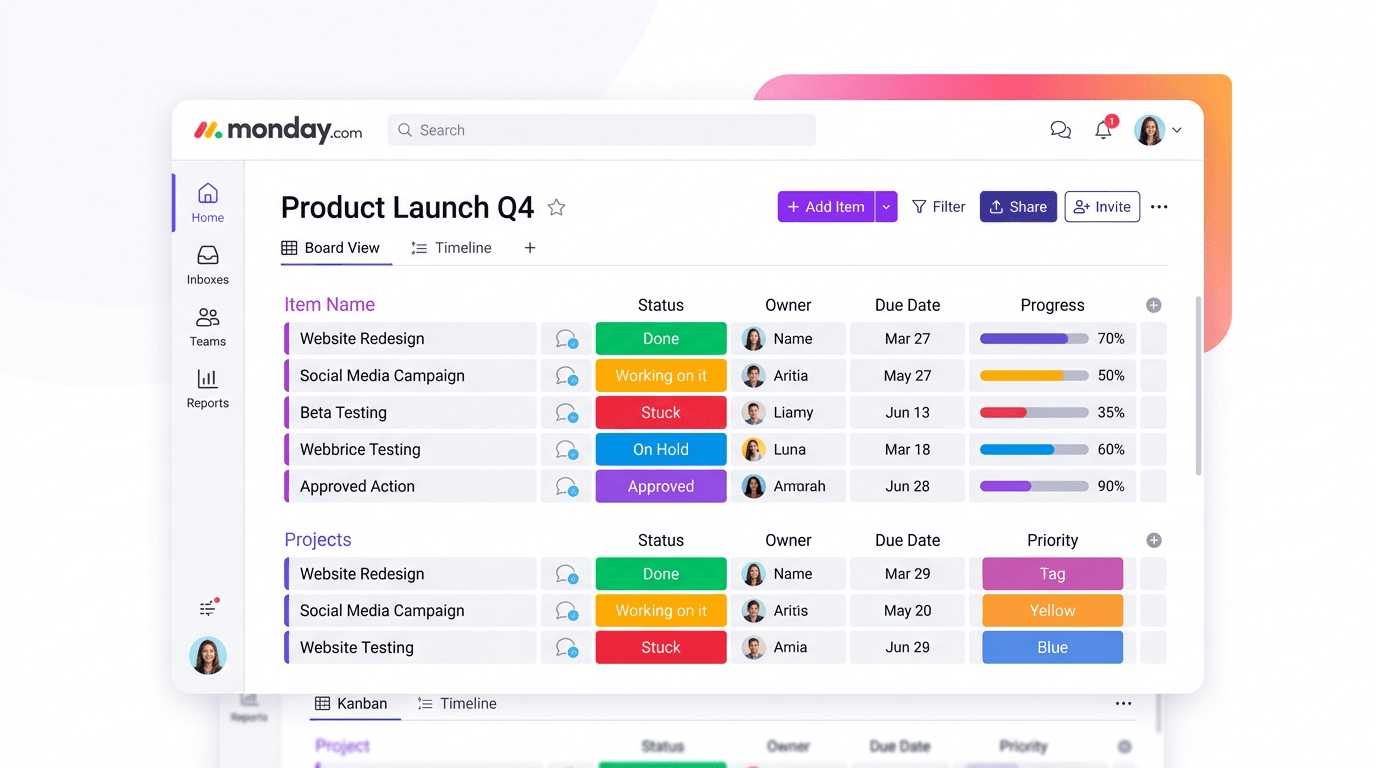
Monday.com Review 2026: Is It Still the Best Work OS?
I tested Monday.com against ClickUp, Asana, and Wr...
Updated July 27, 2026

AI Writing Software for Blogging in 2026: Best Tools + How to Stay AI-Search Vis...
The best AI writing software for blogging in 2026 ...
Updated July 20, 2026
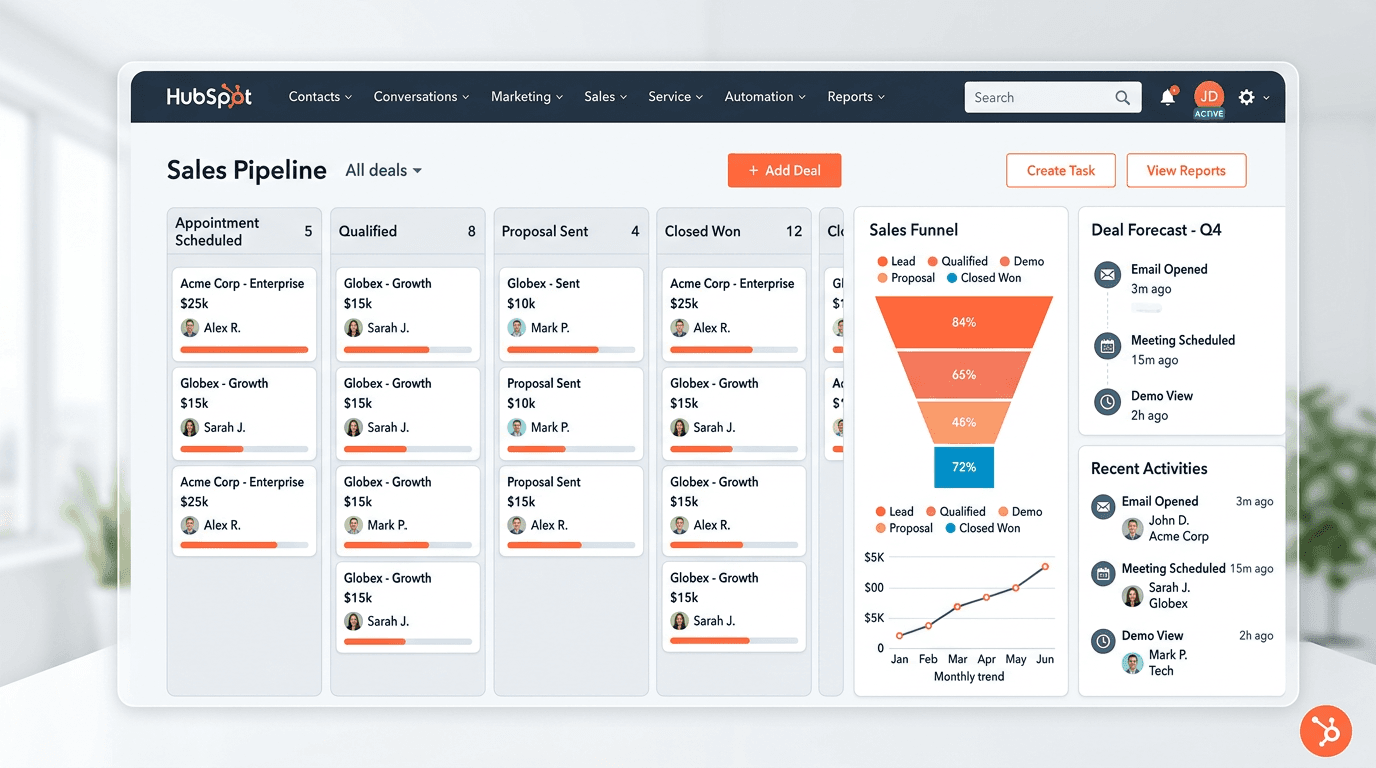
HubSpot Review 2026: Is It Worth the Cost?
I tested HubSpot’s free CRM, Starter, and Pr...
Updated July 20, 2026
Teamwork.com Review 2026: Is It the Best PM Tool for Client Work?
I tested Teamwork.com for agency and client projec...
Updated May 29, 2026
Wrike Review 2026: Is It Worth the Cost?
I tested Wrike in real enterprise workflows. Here&...
Updated May 29, 2026
Asana Review 2026: Is It Worth It? (Honest, In-Depth Analysis)
I tested Asana across real team workflows. Here...
Updated May 29, 2026
Newsletter
Don't miss a thing!
Sign up to receive daily news