

Updated May 2, 2026
Managed Print Services for Small Business: Are the Benefits Worth It?
Table of Contents
Quick answer: Managed print services makes financial sense for small businesses printing 3,000+ pages per month across multiple devices. Below that threshold — and especially below 1,000 pages per month — MPS typically costs more than managing your own printers. The clearest trigger isn’t volume alone: it’s when managing toner, maintenance, and repair calls is consuming meaningful staff time.
Managed print services is one of those terms that shows up in a vendor’s sales pitch before most small business owners have a chance to look it up.
Here’s the plain-English version: managed print services (MPS) means outsourcing your printing infrastructure to a provider who supplies the equipment, handles all maintenance and repairs, manages toner and consumables, and charges you on a cost-per-page or flat monthly basis.
The pitch sounds compelling — one monthly bill, no more emergency toner runs, no more waiting for the repair technician. And for high-volume offices, it genuinely delivers. The problem is that MPS is frequently sold to small businesses whose print volumes don’t justify the contract overhead.
This guide is specifically about managed print services for small business: what it includes, what it actually costs, which providers to consider, and — most importantly — the honest conditions under which it’s not worth it.
I don’t sell MPS, I don’t have a relationship with any MPS provider, and I’m not going to recommend a contract structure that doesn’t make financial sense for your situation.
If you want to understand your current print costs before evaluating MPS quotes, my laser vs inkjet cost per page comparison gives you the baseline numbers.
And if you’re running a professional services firm with high print volume, how MPS and leasing compare for high-volume professional offices covers the decision at that scale.
Quick answer: is managed print services worth it for a small business?
| Your situation | Verdict |
|---|---|
| Under 1,000 pages/month, 1–2 printers | Not worth it — self-managed is cheaper |
| 1,000–3,000 pages/month, 2–4 printers | Borderline — depends on maintenance overhead |
| 3,000–10,000 pages/month, multiple devices | Usually worth it — time savings justify cost |
| 10,000+ pages/month, compliance needs | Strong fit — MPS is purpose-built for this |
| Solo trader or micro-business | Almost never worth it |
The most common mistake I see is small businesses evaluating MPS purely on the cost-per-page rate without accounting for what they’re currently spending on toner, maintenance calls, and the staff time spent managing all of it.
Calculate your actual current print cost first, then compare.
What is managed print services? (Plain-English explanation)
Managed print services is an outsourced arrangement where a single provider takes responsibility for your entire print environment. You pay one monthly bill. Everything else — the hardware, the toner, the maintenance, the service calls — is the provider’s problem.
In practice, an MPS contract typically covers: installation and setup of printer hardware, automatic toner replenishment (the provider monitors toner levels remotely and ships replacements before you run out), proactive maintenance and repair (usually with a defined response time SLA), usage monitoring and reporting, and at the end of the contract, equipment refresh.
Some MPS contracts also include print security features — user authentication at the device, encrypted print queues, audit logs of who printed what.
For law firms, medical practices, and financial services businesses with compliance requirements, this is often the deciding factor.
What MPS typically includes
- Printer hardware (leased or provided by the MPS provider — you don’t own it)
- All toner and consumables
- Proactive maintenance and repairs
- Remote monitoring of device health and toner levels
- Help desk / service support
- Monthly usage reporting
- Equipment upgrade at contract end (on FMV-style agreements)
What’s usually not included: paper, IT network support for printer connectivity issues unrelated to the device itself, and any printing done outside the contract’s defined device fleet.
MPS vs buying a printer vs leasing: what’s the difference?
| Buy a printer | Lease a printer | Managed print services | |
|---|---|---|---|
| Upfront cost | Medium–high | None | None |
| Monthly cost | $0 after purchase | Fixed lease payment | Cost-per-page or flat fee |
| Maintenance | Your responsibility | Often included | Included |
| Toner / consumables | Your responsibility | Sometimes included | Included |
| Equipment upgrades | Buy new when needed | At lease end | Provider manages |
| Contract commitment | None | 36–60 months | 36–60 months |
| Print security / reporting | DIY | DIY | Often included |
| Best for | Low volume, simple needs | Medium volume, want to own equipment | High volume, time savings, compliance |
The key difference between leasing and MPS: leasing provides the hardware and financing — you still manage consumables and maintenance yourself.
MPS is a fully managed service that includes hardware, consumables, maintenance, and support in a single fee. MPS costs more per page than leasing alone, but the management overhead shifts entirely to the provider.
For a full breakdown of how printer leasing works and what to watch for in those contracts, I’ve covered printer leasing for small business in detail — it’s worth reading alongside this if you’re evaluating both options.
How much do managed print services for small business cost?
This is the question every small business owner asks and that no vendor page answers honestly. MPS providers prefer negotiation to published rates — partly because pricing genuinely varies, and partly because the opaqueness favours the vendor in any negotiation.
Here are the real ranges. Pricing estimates verified against current MPS market rates, April 2026. Actual quotes will vary — get at least 2–3 before signing anything.
Typical pricing structures
There are three main ways MPS providers charge:
Cost-per-page (CPP): You pay a fixed rate per page printed. Equipment and maintenance are included. Almost all contracts include a monthly minimum — you pay for that many pages whether you print them or not.
CPP is the most common structure and the easiest to compare across providers.
Flat monthly fee: A fixed monthly charge covering equipment, toner, and service up to a defined page volume. Pages above that threshold are charged at an overage rate — which is typically much higher than the base CPP.
Useful if your volume is highly predictable, but dangerous if it isn’t.
Hybrid / managed service contract: A combination of equipment lease plus service agreement plus consumables, billed as a single monthly line item. Common for mid-size offices with multiple device types.
The most complex structure and the hardest to compare across providers — break it into its component costs before evaluating.
What small businesses typically pay
| Office profile | Est. pages/month | Typical CPP (mono) | Typical CPP (colour) | Est. monthly MPS cost |
|---|---|---|---|---|
| Very small office (1–5 people) | Under 500 | $0.01–0.02 | $0.06–0.10 | $20–50/mo — MPS often not cost-effective at this volume |
| Small office (5–20 people) | 500–3,000 | $0.008–0.015 | $0.05–0.08 | $40–150/mo — borderline; depends on maintenance overhead |
| Mid-size small office (20–50 people) | 3,000–10,000 | $0.006–0.012 | $0.04–0.07 | $100–400/mo — MPS often makes financial sense here |
| High-volume small business | 10,000–30,000 | $0.004–0.008 | $0.03–0.06 | $200–800/mo — strong MPS value proposition |
Estimates for the US market, April 2026. Verify with current provider quotes before committing.
The calculation that actually matters: Don’t compare MPS quotes against zero. Compare them against what you’re currently spending on toner, maintenance calls, replacement hardware, and the staff time spent managing all of it.
For most offices printing under 1,000 pages/month, the current self-managed cost is lower than any MPS contract minimum.
For offices printing 5,000+ pages/month with regular maintenance events, MPS often costs less when you account for everything.

Managed print services providers: who to consider for small business
National providers
Xerox, HP, Ricoh, Konica Minolta, and Canon are the major national MPS providers. All offer small business MPS programs, though their sweet spot is typically larger deployments (10+ devices, 50+ employees).
For a 2–5 device small business, you’ll often find yourself dealing with a reseller or dealer rather than the manufacturer directly — which affects your service relationship and escalation options.
The advantage of a national provider: established SLAs, standardised contracts, and device availability across multiple locations.
The disadvantage: pricing is less flexible, contract terms are more rigid, and the small business account often gets lower priority than enterprise clients when service response times are tested.
Practical note: HP and Xerox both have online quote tools. Use them to establish a benchmark before approaching regional providers — you’ll negotiate more effectively knowing what the published rates look like.
When a local or regional provider makes more sense
For most small businesses (under 20 employees, 1–3 locations), a local or regional MPS provider often delivers better value than a national contract. Reasons:
- Faster on-site service response — a local provider with technicians 20 minutes away beats a national provider’s “next business day” SLA in practice
- More flexible contract terms — regional providers are more likely to offer shorter terms, break clauses, or customised page minimums
- More negotiating leverage — a regional provider values your account more than HP values it
The downside: vet them carefully. Check how long they’ve been operating, ask for references from businesses of your size, and confirm they have adequate toner/parts inventory for your specific device models.
A small MPS provider that can’t get parts for your device within 48 hours is a problem.
When managed print services makes sense for small business
MPS is genuinely the right call in these situations:
Your print volume is high and predictable (3,000+ pages/month). At this volume, the cost-per-page model starts delivering real value — the economics improve significantly above 3,000 pages/month as the fixed contract overhead is spread across more pages.
Managing print is consuming real staff time. If someone on your team is regularly ordering toner, chasing service technicians, or troubleshooting printer issues, MPS converts that time cost into a predictable monthly payment. That trade is often worth it.
You have multiple devices across the office. Managing three or four different printer models — each with their own toner type, maintenance schedule, and failure pattern — is where MPS starts delivering clear operational value.
A single vendor managing all of them is simpler and usually cheaper than managing them separately.
You have compliance or security requirements. Law firms, medical practices, and financial services businesses often need documented print audit trails, user authentication at the device, or encrypted print queues.
MPS contracts with these features are standard in those sectors; building the equivalent yourself is time-consuming and less reliable.
Your hardware is aging and due for replacement. If you’re already facing a hardware refresh, folding it into an MPS contract is often more cost-efficient than a standalone hardware purchase — especially if maintenance on aging equipment has been expensive.
When managed print services does NOT make sense (honest assessment)
This is the section MPS salespeople won’t share with you. I will.
| MPS makes sense when… | MPS does NOT make sense when… |
|---|---|
| Print volume is high and predictable (3,000+/month) | Print volume is low or irregular (under 1,000 pages/month) — minimums make it more expensive than buying toner yourself |
| Managing toner and maintenance consumes staff time | You have one or two desktop printers you manage with minimal overhead |
| You have multiple devices across the office | You’re a solo trader or micro-business — contract overhead exceeds the benefit |
| You need compliance-grade print security | You’re in a satisfactory low-cost ownership arrangement that’s working fine |
| You want predictable monthly costs and a single vendor | You don’t want a 3–5 year non-cancellable contract — MPS rarely offers flexible exit terms |
| Your hardware is aging and due for replacement | You need maximum flexibility — MPS locks you into a specific equipment and service relationship |
The honest answer for most readers: if you’re printing under 1,000 pages/month and you’re not dealing with regular maintenance issues, MPS is almost certainly a step up in cost and commitment for no material benefit.
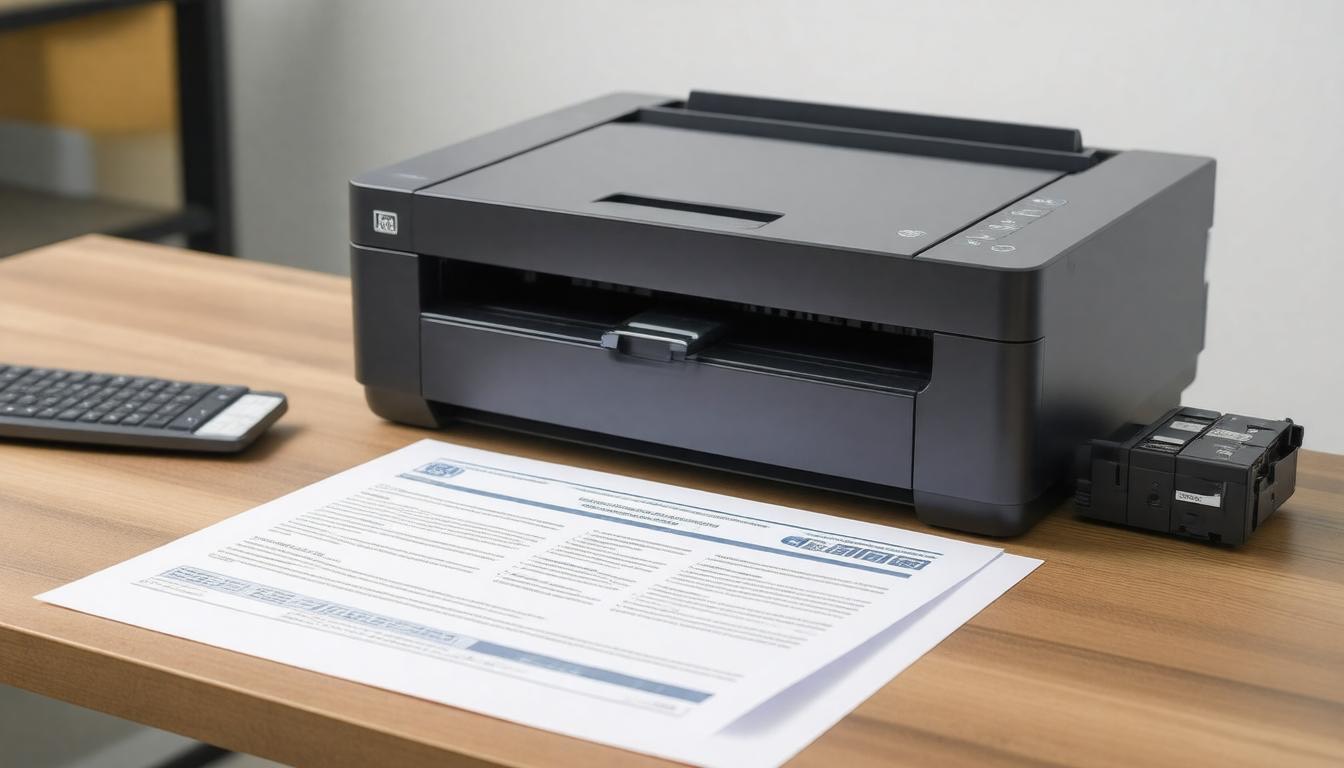
Buy a mid-range business laser printer outright, set up an automatic toner subscription, and spend the contract negotiation time elsewhere.
What to look for in an MPS contract (and what to avoid)
MPS contracts are typically 3–5 years and legally non-cancellable. These are the terms that small businesses most commonly regret not reading carefully.
Minimum monthly page volumes. If you don’t hit the monthly minimum, you pay for pages you didn’t print. Make sure the minimum reflects your actual print volume — not a vendor’s optimistic projection. Going under minimum consistently means you’re subsidising the contract’s economics.
Long non-cancellable terms. Three to five years is standard. Early exit usually means paying the remaining contract value in a lump sum. Push for break clauses at 12 or 24 months — some regional providers will agree to these; national providers rarely do.
Service response time SLAs. “Next business day” is the standard promise. What it means in practice depends on how it’s defined in the contract. Confirm: does the clock start when you log the call, or when a technician is dispatched? What’s the escalation path if the SLA is missed? Get this in writing.
Colour page misclassification. Some contracts charge the colour CPP rate for any page that contains any colour element — including logos on letterheads, coloured headers, or even the blue hyperlink in a printed email.
At $0.05–0.10/page, this adds up quickly for offices that print mostly mono documents with minor colour elements. Ask explicitly how colour pages are classified and counted.
Automatic price escalation clauses. Some MPS contracts include annual CPP increases tied to inflation indices (e.g. CPI+1%). Over a 5-year contract, this compounds. Model your 5-year total cost including escalations before signing — the year-1 CPP rate is not the true cost of the contract.
Equipment ownership ambiguity. Clarify whether you own the equipment at contract end, whether you have a buyout option, or whether the hardware returns to the provider. This affects your options when the contract expires and determines whether you’re starting from zero at renewal.
Mid-contract “free upgrade” traps. Some providers offer to upgrade your hardware mid-term at no additional hardware cost. These usually reset the contract term to a new 36–60 months on the new equipment — with the remaining obligation on the old contract rolled in.
Always ask how an upgrade affects your remaining commitment before accepting.
FAQ
What are managed print services?
Managed print services (MPS) is an outsourced arrangement where a provider supplies your office printers, handles all maintenance and repairs, automatically replenishes toner and consumables, and charges you on a cost-per-page or flat monthly basis.
You pay one monthly bill instead of managing hardware, supplies, and service calls separately.
How much do managed print services cost for small businesses?
Small businesses typically pay $40–400/month depending on print volume. Very small offices (under 500 pages/month) often find MPS more expensive than self-managed printing.
Offices printing 3,000–10,000 pages/month generally see the best value, paying $0.006–0.015 per mono page and $0.04–0.08 per colour page. Estimates verified April 2026 — get 2–3 quotes for current market rates.
At what point does managed print services make sense?
MPS typically makes financial sense for offices printing 3,000+ pages/month across multiple devices. Below this threshold, the cost-per-page minimums and contract overhead often exceed the cost of managing printing yourself.
The clearest trigger is when managing toner ordering, maintenance calls, and printer issues is consuming meaningful staff time — that’s when MPS pays for itself.
What is included in a managed print services contract?
A standard MPS contract typically includes: the printer hardware (leased or provided), all toner and consumables, proactive maintenance and repairs, remote monitoring of print usage and device health, and a service helpdesk.
Premium contracts also include print security features, usage reporting, and document workflow tools.
What is the difference between managed print services and leasing a printer?
Leasing provides the hardware and financing — you still manage consumables and maintenance yourself. MPS is a fully managed service that includes hardware, consumables, maintenance, and support in a single cost-per-page or monthly fee.
MPS costs more per page than leasing alone, but offloads all management overhead to the provider.
Are managed print services worth it for a small business?
For offices printing under 1,000 pages/month: usually not — self-managed printing is cheaper. For offices printing 3,000+ pages/month with multiple devices and regular maintenance needs: yes, the time savings and predictable costs typically justify the premium.
Law firms, medical practices, and agencies are the clearest fit.
Sources
- Xerox Managed Print Services — reviewed for SERP context, April 2026
- HP Managed Print Services — reviewed for SERP context, April 2026
- MPS pricing estimates based on current US market rates, April 2026 — verify with 2–3 provider quotes before purchasing

Recent Posts
Monday.com Review 2026: Is It Still the Best Work OS?
I tested Monday.com against ClickUp, Asana, and Wr...
Updated May 30, 2026

AI Writing Software for Blogging in 2026: Best Tools + How to Stay AI-Search Vis...
The best AI writing software for blogging in 2026 ...
Updated May 30, 2026
HubSpot Review 2026: Is It Worth the Cost?
I tested HubSpot’s free CRM, Starter, and Pr...
Updated May 29, 2026
Teamwork.com Review 2026: Is It the Best PM Tool for Client Work?
I tested Teamwork.com for agency and client projec...
Updated May 29, 2026
Wrike Review 2026: Is It Worth the Cost?
I tested Wrike in real enterprise workflows. Here&...
Updated May 29, 2026
Asana Review 2026: Is It Worth It? (Honest, In-Depth Analysis)
I tested Asana across real team workflows. Here...
Updated May 29, 2026
Newsletter
Don't miss a thing!
Sign up to receive daily news