

 Tracy Jackson15 yrs in online marketing
Monday.com for Nonprofits: 10 Free Seats, Eligibility & How to Apply (2026)
Table of Contents
The short answer: monday.com gives eligible nonprofits 10 seats for free under the Nonprofit Plan — not discounted, free — with a 70% discount on every additional seat purchased from seat 11 onward. Annual commitment is required, and additional seats come in lots of 5 only. Approval through Goodstack takes 2–3 business days.
I’ve covered the best software for nonprofits across five categories, and monday.com for nonprofits has the most compelling opening offer in the cluster.
Ten seats at zero cost under the Nonprofit Plan is a different proposition from a percentage discount — for teams of 10 or fewer, the cost is nothing.
This article covers what’s free, what happens when your team grows past 10, who qualifies, and how to apply.

Disclosure: This article contains affiliate links. If you apply for the monday.com nonprofit program through links on this page and make a purchase, I may earn a commission at no extra cost to your organization. T
his does not affect my recommendations — all tools are independently tested and reviewed.
What Is the monday.com for Nonprofits Program?
monday.com’s Nonprofit Program has two tiers:
Nonprofit Plan: The first 10 seats are free under the Nonprofit Plan, which gives you Pro-level features.
From seat 11 onward, additional seats are available at 70% off the standard Pro price — purchased in lots of 5 only.
Enterprise Plan: 33% off per user for nonprofits that need Enterprise-level features (advanced security, compliance controls, dedicated support).
A few things worth stating clearly before we get into the details:
The 10 free seats are on the Nonprofit Plan — not a stripped-down free tier.
Pro includes 25,000 automation actions per month, timeline and Gantt views, time tracking, private boards, and 200+ integrations.
That’s the full-featured plan commercial teams pay $19/seat/month for.
Annual commitment is required — no monthly billing under the Nonprofit Program.
Eligibility must also be reconfirmed each year or monday.com reverts to full commercial pricing.
I’ll come back to this in the application section because it’s the detail that catches people out.
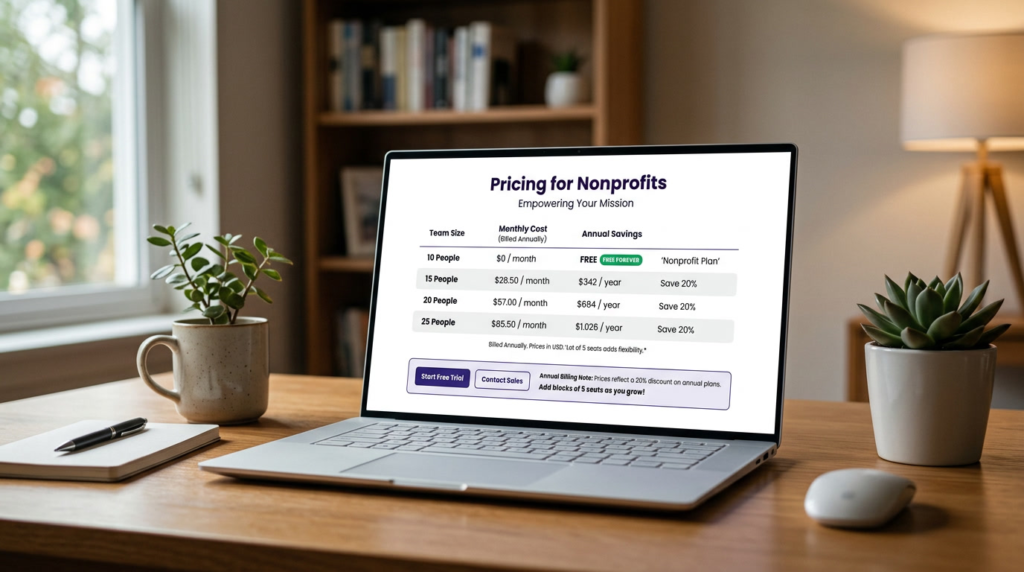
monday.com Nonprofit Pricing: What’s Free and What Costs Extra
The 10 free seats: which plan and what’s included
The 10 free seats are on the Nonprofit Plan with Pro-level features.
Unlimited boards, 25,000 automation and integration actions per month, timeline and Gantt views, time tracking, private boards, formula columns, and dependency tracking.
For a nonprofit managing grant timelines, program delivery, volunteer coordination, or fundraising campaigns, the Pro feature set covers all of it.
The free seats apply per product — 10 free seats on monday work management, 10 on monday CRM, and 10 on monday Dev.
For most nonprofits, work management is the relevant one.
What you pay from seat 11 onward
At commercial pricing, the Pro plan runs $19/seat/month on annual billing. At 70% off, additional seats cost $5.70/seat/month.
Here’s what that looks like as your team grows:
| Team size | Free seats used | Additional seats cost/mo (at 70% off) | Total monthly cost |
| 10 people | 10 of 10 | $0 | $0 |
| 15 people | 10 of 10 | 5 seats × $5.70 = $28.50 | $28.50 |
| 20 people | 10 of 10 | 10 seats × $5.70 = $57.00 | $57.00 |
| 25 people | 10 of 10 | 15 seats × $5.70 = $85.50 | $85.50 |
Prices verified May 2026. Annual billing only — monthly plans are not available under the Nonprofit Program. Additional seats are purchased in lots of 5 only. Subject to change — confirm at monday.com/nonprofits before applying.
The lot-of-5 rule matters for budgeting. Additional seats are sold in increments of 5 — you can’t buy just one extra seat.
A nonprofit with 12 team members needs to purchase one lot of 5 additional seats (paying for 15 total), which runs $28.50/month.
A team of 16 needs two lots of 5 (paying for 20 total), which runs $57.00/month. Build this into your planning before you apply.
Enterprise plan discount for larger nonprofits
Nonprofits needing Enterprise features — advanced admin controls, HIPAA compliance, audit logs, dedicated support — can upgrade at a 33% discount per user.
This requires contacting monday.com’s sales team directly.
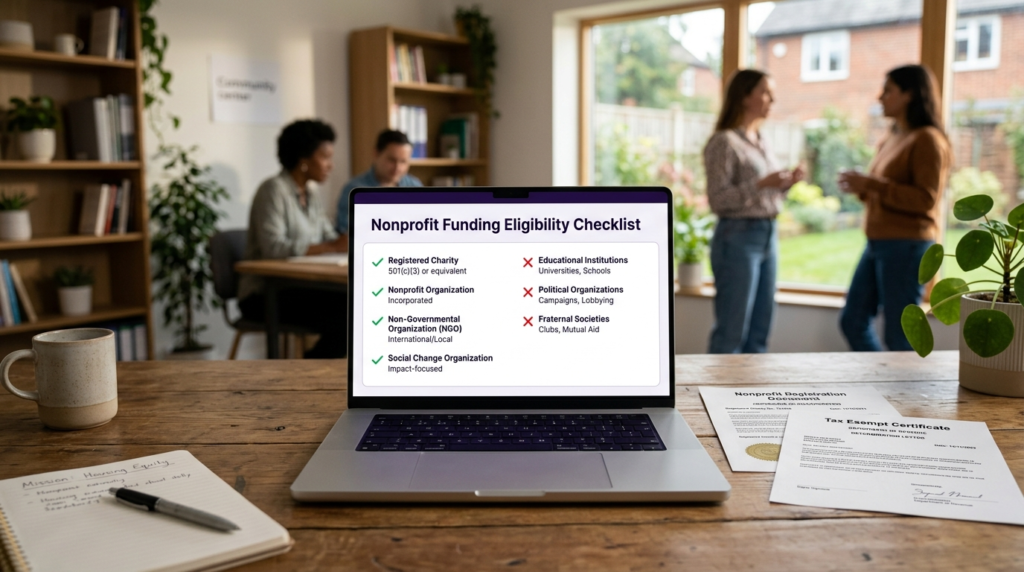
Does Your Nonprofit Qualify?
Who is eligible
monday.com’s eligibility requirements are broader than some other programs in this cluster.
To qualify, your organization must be recognized as one of the following in the country where you’re registered:
- Registered charity
- Nonprofit organization
- Nongovernmental organization (NGO)
- Social change organization
You’ll need legal documentation proving nonprofit status — a tax-exempt certificate, registration letter, or government-issued proof. The verification runs through Goodstack.
Who is not eligible
Certain organization types are explicitly excluded, regardless of charitable activity:
- Organizations that receive payment for performance
- Fraternal beneficiary societies
- Legislative and political activity organizations
- Community Interest Companies (UK CIC designation)
- Educational organizations — schools, colleges, and universities go through monday.com’s Education program instead
The annual renewal requirement is worth treating as a de-facto eligibility condition.
If you don’t reconfirm on time each year, you lose the discount and get billed at full commercial rates — no grace period.

How to Apply for the monday.com Nonprofit Program: Step by Step
- Create a monday.com account. If you don’t already have one, sign up at monday.com. New accounts get a 14-day Pro trial. If you already have an account, skip to Step 2.
- Go to the nonprofit program page. Navigate to monday.com/nonprofits and click “Check your eligibility.” Don’t go to the standard pricing page — the nonprofit program has a separate entry point.
- Complete the validation form. Enter the country where your organization is registered and upload legal documentation proving your nonprofit status (tax-exempt certificate or equivalent).
- Wait for Goodstack verification. monday.com uses Goodstack to verify eligibility. Approval typically arrives within 2–3 business days by email.
- Confirm your nonprofit plan is active. After approval, your plan will show as Free in your account admin. You don’t need to complete a purchase to confirm the discount is applied.
- Add additional seats if needed. From your admin panel, purchase additional seats in lots of 5 at the 70% discounted rate.
Apply for the monday.com Nonprofit Program → monday.com/nonprofits
Approval takes 2–3 business days. Your first 10 seats are free — no payment required until you add more.
Annual renewal reminder: monday.com requires you to reconfirm eligibility each year to continue receiving Nonprofit Program pricing.
If you don’t reconfirm on time or are no longer eligible, you’ll be charged the full commercial rate. Set a calendar reminder for 11 months after approval.
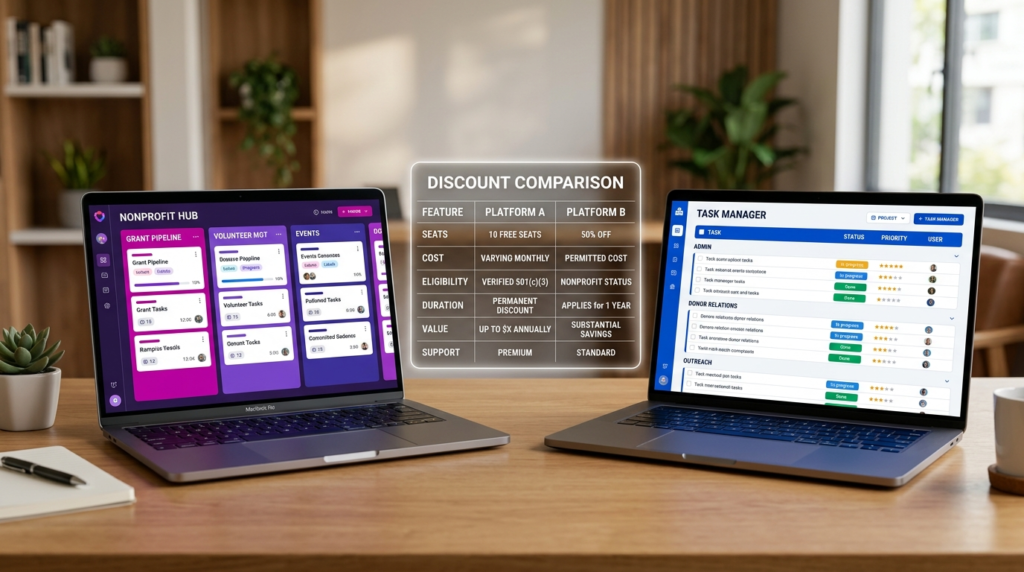
monday.com vs Asana for Nonprofits: Which Discount Program Is Better?
I get this question a lot from readers who’ve seen both programs. Here’s the honest side-by-side:
| Factor | monday.com | Asana |
| Discount structure | 10 seats free, then 70% off additional | 50% off Starter and Advanced plans |
| Better for teams of… | 10 or fewer (free) / up to ~20 (still cheaper) | Teams needing Advanced features at scale |
| Annual commitment | Required | Required for discount |
| Annual renewal | Required — must reconfirm eligibility yearly | Not explicitly required per program terms |
| Verification partner | Goodstack | Goodstack |
| Approval time | 2–3 business days | 1–2 business days |
For teams of 10 or fewer: monday.com wins outright. Free is better than 50% off.
For teams of 11–20: monday.com is still cheaper — at $28.50–$57/month versus Asana Starter’s ~$5.50/seat/month ($82.50/month for 15 people). The math favors monday.com up to around 20 seats.
For larger or feature-heavy teams: Asana’s Advanced at 50% off ($12.50/seat/month) adds portfolio views, goal tracking, and workload management. If those features matter, you’re choosing on platform fit, not just price.
See Asana’s nonprofit discount program for the full breakdown, and my Asana vs monday.com comparison for a platform-level head-to-head.

Is monday.com Worth It for Nonprofits?
For teams of 10 or fewer, yes — it’s hard to argue against free. The Pro feature set at zero cost is one of the most straightforward value propositions in nonprofit SaaS.
If your team fits within 10 seats and you’re doing any kind of project management, volunteer coordination, or grant tracking, this program is worth applying for.
For growing teams, the math stays favorable up to around 20 seats before Asana closes the gap.
The lot-of-5 purchasing rule means costs jump in $28.50 increments rather than scaling per person — worth modeling for your specific headcount before you commit.
The annual renewal requirement is the thing I’d flag most. Missing it doesn’t get you a warning — it gets you a full commercial rate invoice. Set a calendar reminder for month 11.
The platform itself is strong: the visual board interface is intuitive for non-technical staff, the the automation limits under the Nonprofit Plan are generous, and the template library covers most nonprofit workflows.
It’s not built for donor management or fund accounting, but as a project management and operations tool, it delivers.
If your nonprofit also needs CRM functionality alongside project management, see how monday.com CRM pricing compares before committing to the full stack.
Frequently Asked Questions
Is monday.com free for nonprofits?
Yes — for the first 10 seats. Eligible nonprofits receive 10 seats at no cost under the Nonprofit Plan.
From seat 11 onward, additional seats are available at 70% off the standard rate, purchased in lots of 5.
Annual commitment is required, and eligibility must be reconfirmed each year.
Is monday.com good for nonprofits?
Yes, with caveats. The free 10-seat offer makes it the most cost-effective project management tool in the cluster for small teams.
Plan around the annual renewal requirement and the lot-of-5 seat purchasing model.
Best suited for stable, small-to-mid-size teams doing project management, volunteer coordination, and grant tracking.
Is monday.com not free anymore?
The Nonprofit Program free seats remain in place as of May 2026.
The confusion likely stems from monday.com removing its general free plan for non-nonprofit commercial users.
Those are different things: the free plan for general users changed, but the Nonprofit Program free seats (up to 10 seats on the Nonprofit Plan) are a separate, ongoing program and remain active.
How do I apply for the monday.com nonprofit program?
Go to monday.com/nonprofits, click “Check your eligibility,” complete the form with your organization’s details, and upload legal documentation proving nonprofit status.
Monday.com uses Goodstack to verify eligibility — approval typically takes 2–3 business days by email.
I’ve laid out the full six-step process in the section above.
What is the monday.com nonprofit discount?
Two tiers: the Nonprofit Plan gives you 10 seats free with Pro-level features, then 70% off additional seats (purchased in lots of 5 only); the Enterprise Plan offers a 33% discount per user.
Annual commitment is required for both.
Eligibility must be reconfirmed each year to maintain the discount.
Sources

Recent Posts
Monday.com Review 2026: Is It Still the Best Work OS?
I tested Monday.com against ClickUp, Asana, and Wr...
Updated July 27, 2026

AI Writing Software for Blogging in 2026: Best Tools + How to Stay AI-Search Vis...
The best AI writing software for blogging in 2026 ...
Updated July 20, 2026
HubSpot Review 2026: Is It Worth the Cost?
I tested HubSpot’s free CRM, Starter, and Pr...
Updated July 20, 2026
Teamwork.com Review 2026: Is It the Best PM Tool for Client Work?
I tested Teamwork.com for agency and client projec...
Updated May 29, 2026
Wrike Review 2026: Is It Worth the Cost?
I tested Wrike in real enterprise workflows. Here&...
Updated May 29, 2026
Asana Review 2026: Is It Worth It? (Honest, In-Depth Analysis)
I tested Asana across real team workflows. Here...
Updated May 29, 2026
Newsletter
Don't miss a thing!
Sign up to receive daily news