

 Tracy Jackson15 yrs in online marketing
ClickUp for Nonprofits: What the Discount Is (And How to Get It) (2026)
Table of Contents
The short answer: ClickUp does offer a nonprofit discount, but unlike every other program in this cluster, there’s no self-serve application page, no published rate, and no Goodstack form. The discount is negotiated directly with Sales and applied case-by-case. The commonly reported rate for eligible 501(c)(3) organizations is approximately 35% off Unlimited and Business plans — but ClickUp does not publish this officially. Contact Sales for a confirmed quote.
I cover the best software for nonprofits across five categories, and ClickUp for nonprofits is the question I get most often from readers who’ve seen it in the broader PM comparisons.
They want to know: is there actually a discount, why doesn’t ClickUp publish the rate, and is 35% competitive?
This article covers all three — including a structured Sales email template that no competing article provides.
Disclosure: This article contains affiliate links. If you sign up for ClickUp through links on this page, I may earn a commission at no extra cost to your organization.
This does not affect my recommendations — all tools are independently tested and reviewed.
Does ClickUp Have a Nonprofit Program?
Yes — ClickUp confirms on its nonprofit page that an “exclusive discount” is available for nonprofits.
The honest answer is that what ClickUp calls a “program” is more like a Sales negotiation process.
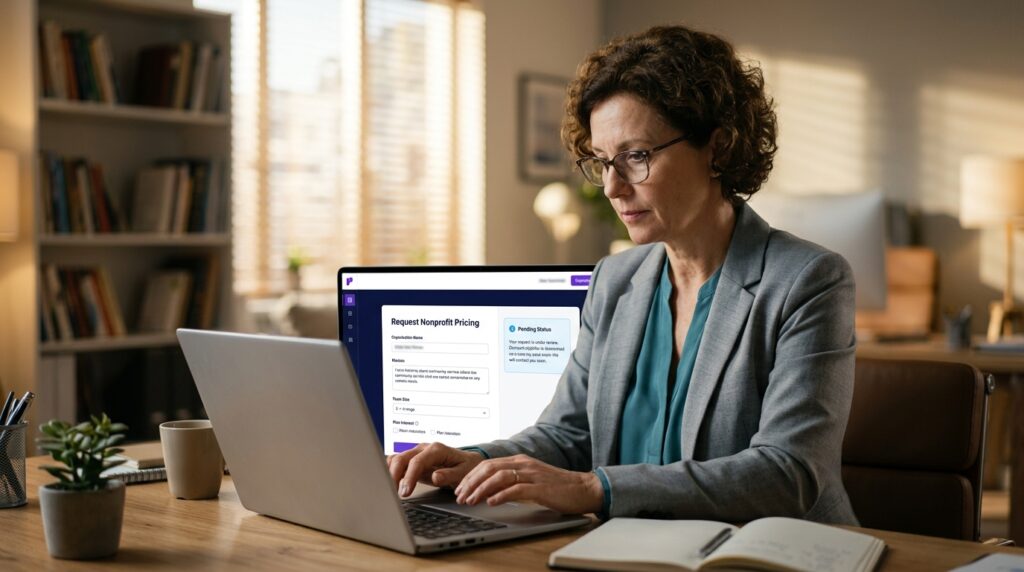
There’s no application form, no verification partner like Goodstack, and no published rate.
That’s not automatically a dealbreaker.
The Free Forever plan is genuinely usable at no cost, and the commonly reported 35% is a real discount if ClickUp approves your request.
But the process is less predictable than Asana’s or Monday’s, and the outcome isn’t guaranteed.
The discount URL — clickup.com/teams/non-profit/discount — routes to a Sales contact flow. I’ll cover exactly what to include in that email below.
The ClickUp Free Forever Plan: Is It Enough for Nonprofits?
Before getting into the paid discount, it’s worth being clear about what the Free Forever plan actually covers — because for a lot of small nonprofits, it’s enough.
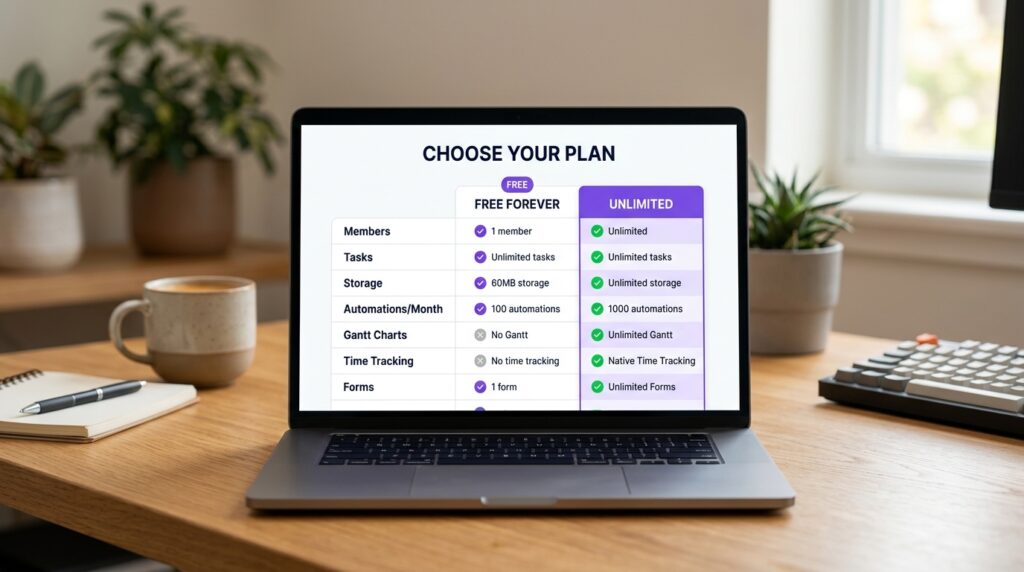
What is included in the Free Forever plan
| Feature | Free Forever | Unlimited (~35% NP discount) |
| Members | Unlimited | Unlimited |
| Tasks | Unlimited | Unlimited |
| Storage | 60MB | Unlimited |
| Integrations | Limited | Unlimited |
| Automations | 100/month | 1,000/month |
| Gantt Charts | Not included | Unlimited |
| Goals & Portfolio | Not included | Included |
| Dashboards | Basic | Unlimited |
| Time Tracking | Not included | Native |
| Forms | 1 | Unlimited |
| ClickUp Brain (AI) | Trial access only | $9/seat/mo add-on (NP discount applicability unconfirmed — ask Sales) |
| Approx. cost (5 seats/mo, annual) | $0 | ~$22.75 (~35% off $7/seat) |
Free Forever features verified at clickup.com/pricing, May 2026. Unlimited pricing $7/seat/month annual. ~35% discount rate based on community reports — not an official ClickUp figure. Confirm with Sales.
When you need to upgrade to Unlimited or Business
The Free Forever plan is enough when: Your team needs basic task management, project tracking, and collaboration.
You’re not running complex automations, you don’t need Gantt charts or portfolio views, and 60MB storage covers your files.
Upgrade to Unlimited when: You need unlimited storage (the 60MB cap is the most common reason teams outgrow the free plan), Gantt views for grant timelines, time tracking for volunteer hours, or unlimited integrations.
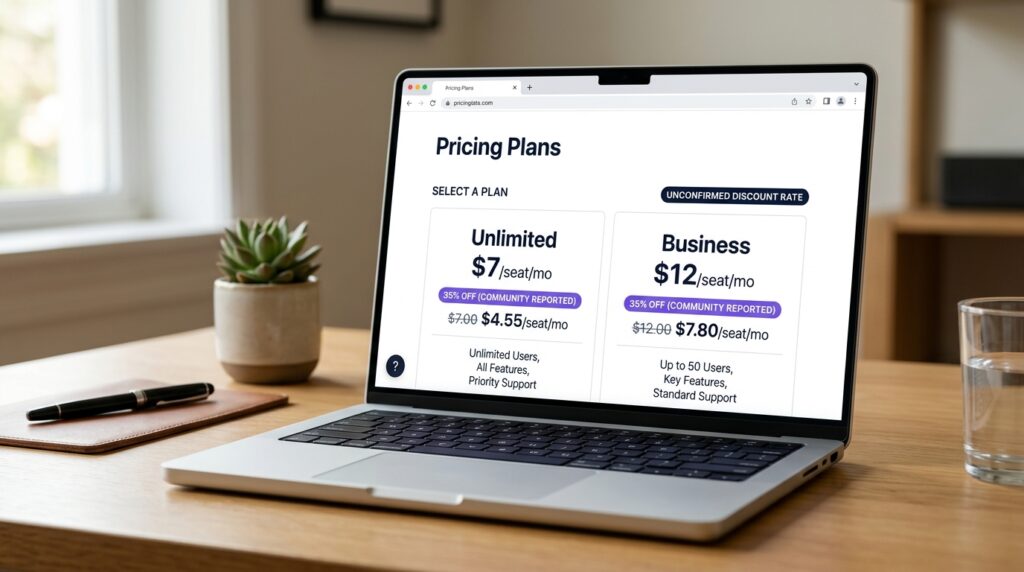
At ~$4.55/seat/month after the commonly reported 35% nonprofit discount, this is the tier most nonprofits should be targeting.
Upgrade to Business when: You need 5K automations/month, Mind Maps, private whiteboards, or Google SSO. Business runs $12/seat/month standard (~$7.80/seat at the reported nonprofit rate).
ClickUp For Nonprofits Pricing: What Discount Can You Expect?
Why ClickUp doesn’t publish a fixed rate
ClickUp’s nonprofit page confirms the discount exists but gives no percentage.
Its own help article does the same — acknowledges a discount for nonprofits and educational organizations, zero specifics.
The Reddit thread at position 3 on this SERP captures it: one nonprofit ED noted that unlike Asana (50%) and Monday (free seats), ClickUp “only offers 35% off” — and the frustration wasn’t the rate alone, it was having to work for information other platforms publish upfront.
The honest explanation: ClickUp reviews applications case-by-case, considering your mission, region, team size, and intended plan.
No fixed rate to publish — the outcome varies. See my full ClickUp pricing breakdown for how the standard plans compare.
What the community reports (and what to verify)
The commonly reported rate across multiple community sources (Reddit, January 2026; third-party nonprofit resource sites verified through early 2026) is approximately 35% off Unlimited and Business plans for 501(c)(3) organizations.
This figure is consistent but not officially confirmed by ClickUp.
Before applying, check help.clickup.com for any updates — if ClickUp has published an official rate since this was written, use that figure instead.

How to Apply for the ClickUp Nonprofit Discount
ClickUp reviews each request individually. A complete, well-documented email improves your chances of a fast response and the best available rate.
What to include in your Sales email to get the best outcome
Use this template as your starting point — it covers every element ClickUp’s team needs to process the request without going back and forth:
Email Template: ClickUp Nonprofit Discount Request
Subject: Nonprofit Discount Request — [Organisation Name]
Dear ClickUp Sales Team,
I am writing to request nonprofit pricing for [Organisation Name], a registered
501(c)(3) nonprofit organization [or equivalent status in your country].
Organisation overview:
• Legal name: [full legal name as registered with the IRS or equivalent body]
• EIN / registration number: [your EIN or equivalent]
• Mission: [2–3 sentences describing your mission and primary programs]
• Team size: [number of staff and volunteers who will use ClickUp]
• Current ClickUp plan: [Free Forever / Unlimited / Business]
• Workspace owner email: [email address registered to your ClickUp workspace]
We are interested in the [Unlimited / Business] plan for [X] seats.
Attached: Copy of IRS determination letter or equivalent nonprofit documentation.
Please also confirm whether the nonprofit discount applies to the ClickUp Brain AI add-on.
Thank you for your time.
[Name, Title, Organisation]
Request the ClickUp Nonprofit Discount → clickup.com/teams/non-profit/discount
Contact ClickUp Sales with your 501(c)(3) documentation. Use the email template above to structure your request. Community reports suggest responses within 3–5 business days — not officially confirmed.
ClickUp vs Asana vs Monday.com: Which Nonprofit Discount Is Best?
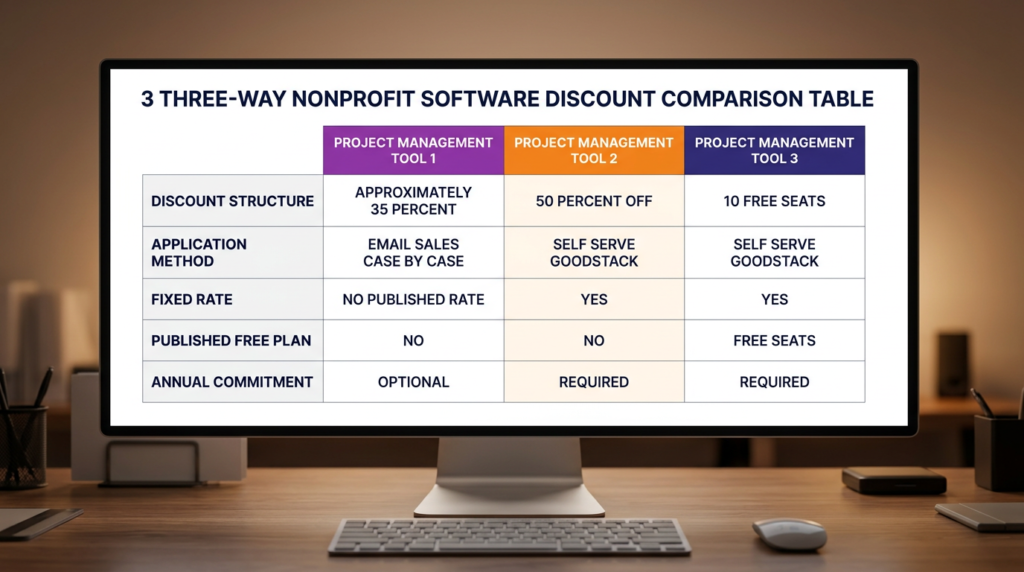
This is the comparison the Reddit community is already making informally. Here it is as a table.
| Factor | ClickUp | Asana | monday.com |
| Discount structure | ~35% off Unlimited/Business (community-reported, unconfirmed official rate) | 50% off Starter/Advanced | 10 seats free, then 70% off additional |
| Application method | Email Sales — case-by-case review | Self-serve via Goodstack | Self-serve via Goodstack |
| Fixed rate published? | No | Yes — 50% | Yes — free seats + 70% |
| Free plan available? | Yes — Free Forever (unlimited members) | Yes — Personal (up to 10 seats) | Yes — under Nonprofit Plan |
| Annual commitment? | Not confirmed — verify with Sales | Required for discount | Required |
| Best for teams of… | Any size — negotiate per need | Teams needing solid PM + automation | Under 10 (free) / up to ~20 |
| AI add-on covered? | Unconfirmed — ask Sales | Credit-based, separate pricing | Included in plan tier |
ClickUp discount rate based on community reports (Reddit, Jan 2026). Not an official ClickUp figure — verify directly with Sales. Asana and monday.com rates confirmed at program pages, May 2026.
Asana and Monday are more transparent and more generous programs — Asana’s 50% beats ClickUp’s reported 35%, and Monday’s free 10 seats is unbeatable for small teams.
ClickUp’s edge is the Free Forever plan: unlimited members and tasks with no seat cap, which beats Asana’s 10-seat free tier for larger teams not ready to pay.
See Asana’s 50% nonprofit discount and Monday.com’s free seats program for full program breakdowns.
Is ClickUp Worth It for Nonprofits?
For nonprofits that can work within the Free Forever plan’s limits — yes.
Unlimited members, unlimited tasks, Kanban, Calendar, Docs, basic custom fields, 24/7 support, all at zero cost.
The 60MB storage cap is the most common reason teams move off it.
For paid plans, it depends on the negotiation.
At the commonly reported 35%, Unlimited at ~$4.55/seat/month is competitive — below Asana Starter’s discounted ~$5.50/seat/month.
But there’s no guarantee you get 35%, and the process is less certain than Asana’s or Monday’s.
If you’re comparing ClickUp and Asana on features — not just discount programs — I’ve covered that in full in my ClickUp vs Asana breakdown.
Frequently Asked Questions
Is ClickUp free for nonprofits?
ClickUp Free Forever is available to all users — no application, no time limit. Unlimited members, unlimited tasks, 60MB storage, 100 automations/month, basic project management.
Eligible nonprofits can apply for a discount on Unlimited and Business plans via Sales.
The commonly reported rate is approximately 35% for 501(c)(3) organizations, but ClickUp does not publish a fixed rate — contact Sales to confirm.
Does ClickUp offer a nonprofit discount?
Yes, but it’s case-by-case via Sales — no self-serve form, no published rate.
The commonly reported figure is approximately 35% off Unlimited and Business plans for 501(c)(3) organizations — less than Asana’s 50% and Monday’s free seats.
Use the email template in this article to structure your request.
What is the ClickUp Free Forever plan?
A free tier with unlimited members and tasks, available to everyone with no time limit.
Key limitations: 60MB storage, 100 automations/month, limited integrations, basic dashboards, 1 form.
Suitable for small nonprofits with basic PM needs.
Not suitable for teams needing unlimited storage, Gantt charts, or advanced automations. See the feature table above for the full Free Forever vs Unlimited comparison.
How do I apply for ClickUp nonprofit pricing?
Email ClickUp Sales via clickup.com/teams/non-profit/discount with your legal name, EIN, mission description, team size, intended plan, workspace owner email, and IRS determination letter.
ClickUp reviews each application individually.
Use the email template in this article. Community reports suggest responses within 3–5 business days — not officially confirmed.
Is ClickUp better than Asana for nonprofits?
Depends on what you’re optimizing for. Asana’s 50% discount is larger, published upfront, and self-serve via Goodstack.
ClickUp’s Free Forever plan is more capable — unlimited members vs Asana’s 10-seat cap — which matters for larger teams not ready to pay.
For paid discounts, Asana is simpler and offers a better confirmed rate. The feature comparison table above covers the key nonprofit-specific differences.
Sources

Recent Posts
Monday.com Review 2026: Is It Still the Best Work OS?
I tested Monday.com against ClickUp, Asana, and Wr...
Updated July 27, 2026

AI Writing Software for Blogging in 2026: Best Tools + How to Stay AI-Search Vis...
The best AI writing software for blogging in 2026 ...
Updated July 20, 2026
HubSpot Review 2026: Is It Worth the Cost?
I tested HubSpot’s free CRM, Starter, and Pr...
Updated July 20, 2026
Teamwork.com Review 2026: Is It the Best PM Tool for Client Work?
I tested Teamwork.com for agency and client projec...
Updated May 29, 2026
Wrike Review 2026: Is It Worth the Cost?
I tested Wrike in real enterprise workflows. Here&...
Updated May 29, 2026
Asana Review 2026: Is It Worth It? (Honest, In-Depth Analysis)
I tested Asana across real team workflows. Here...
Updated May 29, 2026
Newsletter
Don't miss a thing!
Sign up to receive daily news