 Tracy Jackson15 yrs in online marketing
Monday.com Review 2026: Is It Still the Best Work OS?
Table of Contents
Monday.com Review: Quick Verdict
| Monday.com Review: Quick Verdict Overall rating: 4.4 / 5 Starting price: Free (2 users); paid plans from $9/seat/mo (Basic, annual) — 3-seat minimum applies Best for: Visual and creative teams, marketing departments, and non-technical teams that need fast adoption and polished dashboards Skip if: You’re a solo user (3-seat minimum), a budget-constrained team, or a heavy-automation user on Standard (the cap forces a Pro upgrade) Free plan: Yes — up to 2 users, 3 boards. No automations or integrations. Best treated as a trial, not a destination. |
Monday.com is the work platform people either love on sight or quietly resent paying for. This Monday.com review is about which camp you’ll land in — and why it comes down to one trade-off: you’re paying a premium for the fastest adoption in the category.
I’ve tested Monday.com across real team workflows — marketing campaigns, agency client tracking, operations processes — and run it head to head against the main alternatives.
The visual boards are genuinely the easiest in the category to roll out to a non-technical team. The pricing is also more expensive in practice than the headline rate suggests, thanks to a 3-seat minimum and an automation cap that quietly forces an upgrade.
Both things are true. I’ll cover both.
If you’re weighing it against the field, I’ve reviewed the main competitors too — my full ClickUp review and my Asana review are the two closest comparisons.
What Is Monday.com?
Monday.com is a visual Work OS — a flexible platform where teams build customisable boards to manage projects, workflows, and operations.
You track tasks, automate routine steps, visualise timelines, and report progress, all from colourful boards that are far more approachable than a traditional project management tool.
It was founded in 2012 by Roy Mann and Eran Zinman, and went public in 2021. ‘Work OS’ is Monday.com’s own term, and it’s worth unpacking rather than parroting: the idea is that instead of a rigid, purpose-built tool, you get a flexible operating system for work that each team shapes to its own process.
A marketing team builds a campaign tracker; an HR team builds a hiring pipeline; an agency builds a client dashboard — all on the same underlying board engine.
Today Monday.com serves 250,000+ customers worldwide, including Coca-Cola, Canva, and Universal Music Group.
The core product is monday Work Management — the project and task platform this review focuses on.
Monday.com also sells CRM, Dev, and Service products, which I’ll touch on briefly later, because the expansion is both a strength and a documented criticism.
Who Is Monday.com Best For?
Monday.com rewards teams that value adoption speed and visual clarity over deep configurability or rock-bottom cost. Here’s where it genuinely fits:
| Team type | Why Monday.com fits |
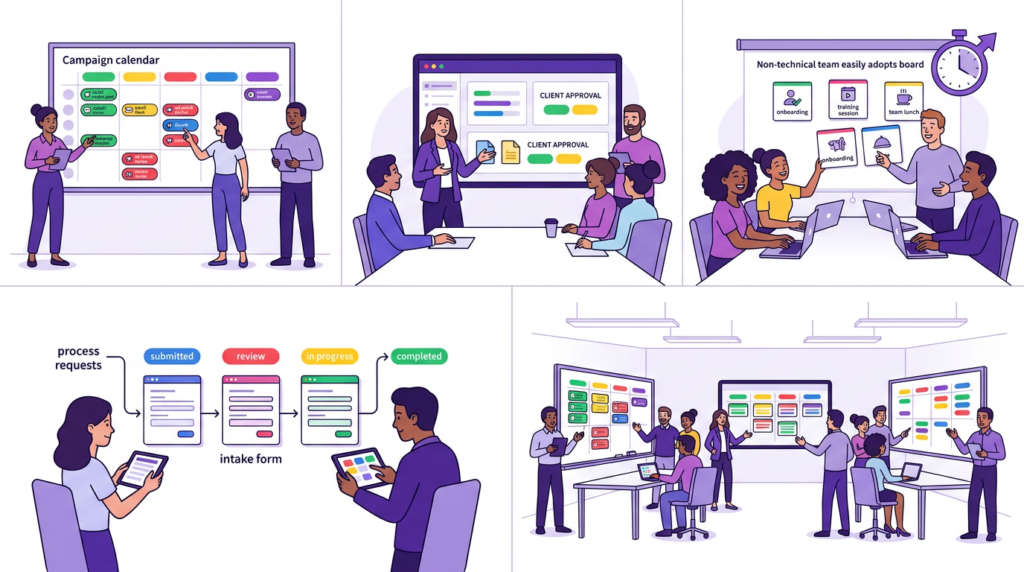
| Marketing teams | Campaign calendars, content pipelines, and launch plans map naturally onto visual boards — and the dashboards make reporting up to leadership genuinely easy |
| Creative agencies | Client-facing dashboards, visual project boards, and approval workflows suit agency work — clients see polished progress views without accessing internal detail |
| Non-technical teams | The single biggest reason teams choose Monday.com: people who would struggle with ClickUp or a spreadsheet are productive on Monday.com within hours |
| Operations teams | Process tracking, request intake via forms, and cross-team workflow visibility work well once you’re on Standard or Pro for the automation headroom |
| Small-to-mid businesses (5–50) | Large enough to justify the 3-seat minimum and per-seat cost; small enough that fast adoption matters more than deep configurability |
Where it doesn’t fit: solo users and two-person teams (the 3-seat minimum makes it expensive), budget-constrained teams (ClickUp delivers more per dollar), heavy-automation teams on a tight budget (the Standard cap forces a Pro upgrade), and inbox-driven teams that need email-to-task (Monday.com has no native version).
Monday.com Features: An In-Depth Look
Boards and views — the visual core
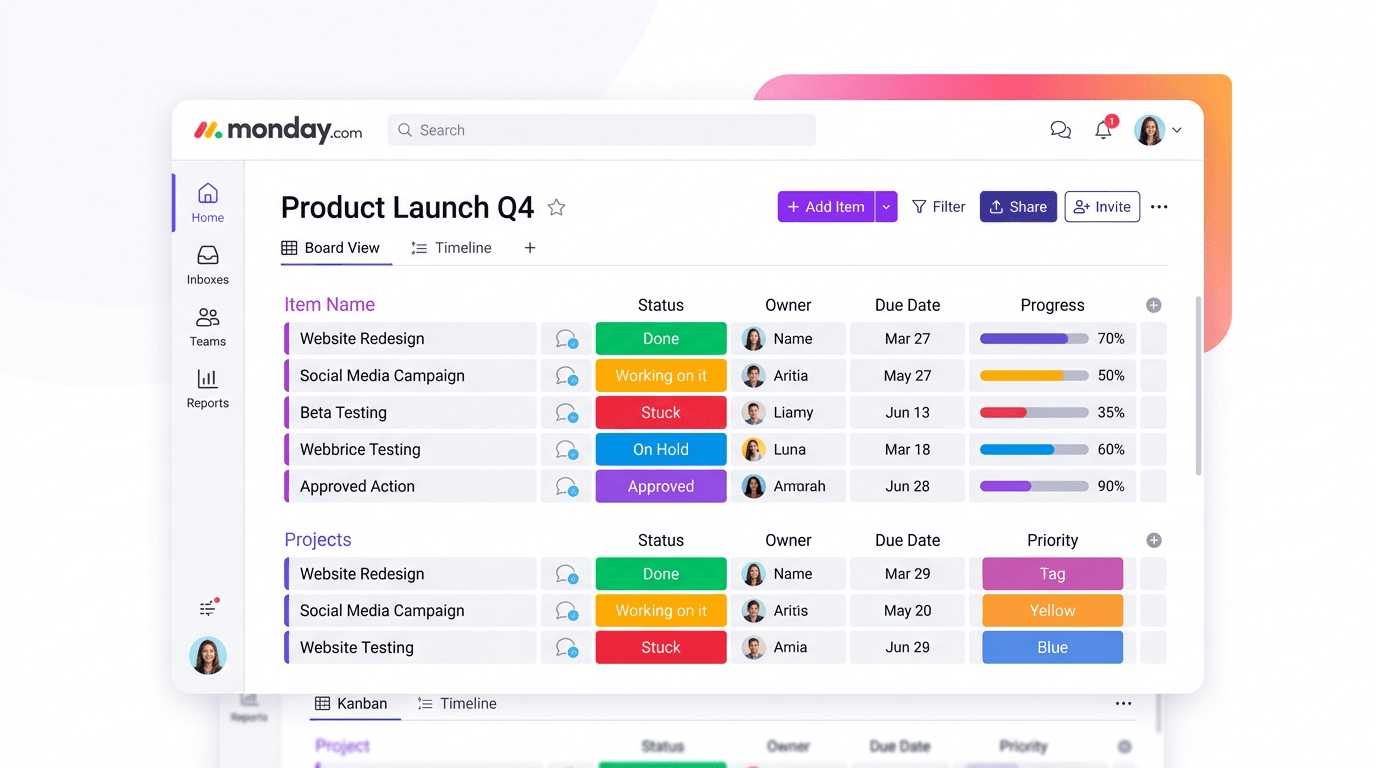
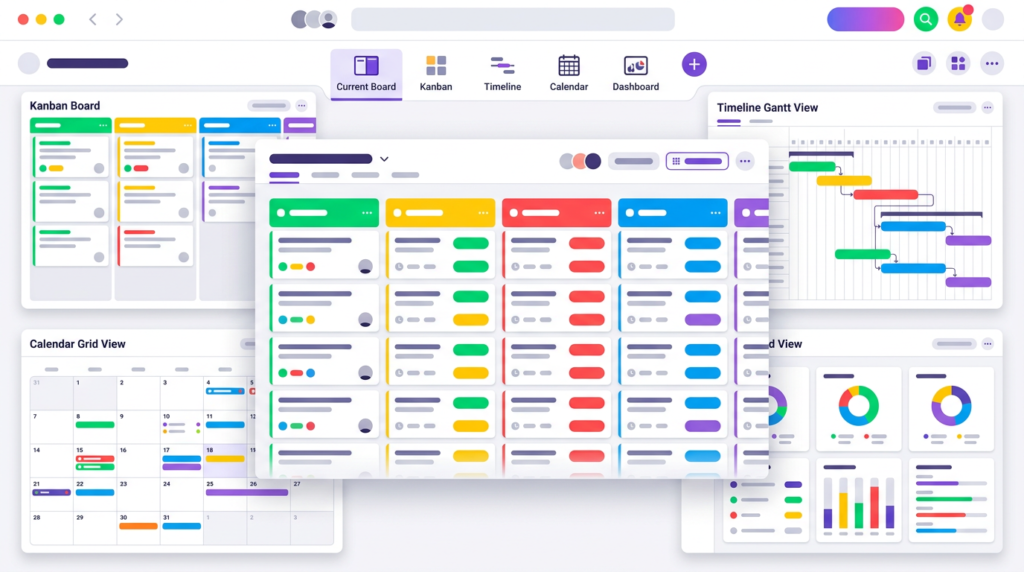
The visual board system is Monday.com’s single biggest strength and the reason non-technical teams adopt it so fast. Every board is built from colour-coded columns — and there are 20+ column types: status, dropdown, date, people, formula, files, location, rating, timeline, and more. You build the board you need by stacking the columns that match your process.
On top of the data, you layer views: Table, Kanban, Timeline/Gantt, Calendar, Chart, and Workload. The same underlying data shows up however the team wants to see it — a project manager works in Timeline, the team lead checks the Kanban, leadership reads the Chart view. Switching between them takes one click and no reconfiguration.
This is the feature that wins deals. A non-technical team that would stall trying to configure ClickUp is productive on a Monday.com board within an afternoon. The visual clarity isn’t a gimmick — it’s the core product advantage.
Automation
Monday.com’s automation builder uses a visual ‘When [trigger] → Then [action]’ model. You pick a trigger (status changes to Done), pick an action (notify the project lead), and the automation runs. No coding, no complex logic trees. It’s one of the most intuitive automation builders in the category, and non-technical users genuinely use it rather than ignoring it.
Here’s the catch, and it’s a big one: the Standard plan caps automations at 250 actions per month. That sounds like a lot until you do the math — an active team of five with a few multi-step automations can burn through 250 actions in 10 to 15 days. Once you hit the cap, automations stop running until the next month.
To get real headroom — 25,000 actions per month — you need the Pro plan at $19/seat/mo, a ~58% jump from Standard’s $12. If you’re adopting Monday.com specifically for automation, you are effectively on the Pro plan from day one. Budget for it. Most reviews mention automations exist; few warn you about the cap that forces the upgrade.
Templates
Monday.com ships 200+ well-designed templates across marketing, CRM, software development, HR, and operations. They’re a genuine onboarding accelerator — a new team can start from a campaign tracker or sprint board that already has the right columns and views configured, rather than building from a blank board. For non-technical teams especially, starting from a template removes the intimidation of the empty canvas.
Dashboards and reporting
The dashboards are a standout, particularly for agencies. They’re visually polished, and widgets pull live data across multiple boards into a single view — project status, workload, timeline progress, budget burn. The result is a client-facing report that looks professional without any manual assembly.
For an agency reporting to clients, this is a real differentiator. Instead of building a status deck every week, you share a live dashboard that updates itself. ClickUp and Asana have dashboards too, but Monday.com’s are the most visually client-ready out of the box.
Integrations
200+ integrations cover the standard stack: Slack, Google Workspace, Salesforce, Zoom, GitHub, and more. They work cleanly, and for most teams the library is broad enough. Two honest caveats, though.
First, integration actions are capped on lower tiers — 250 per month on Standard, the same bucket logic as automations. Second, and more important: Monday.com has no native email-to-task. You can’t forward an email and have it become a task automatically the way some competitors allow. Every task is created manually or through an integration workaround. For inbox-driven teams that live in email, this is a real, daily workflow cost that rarely shows up in reviews.
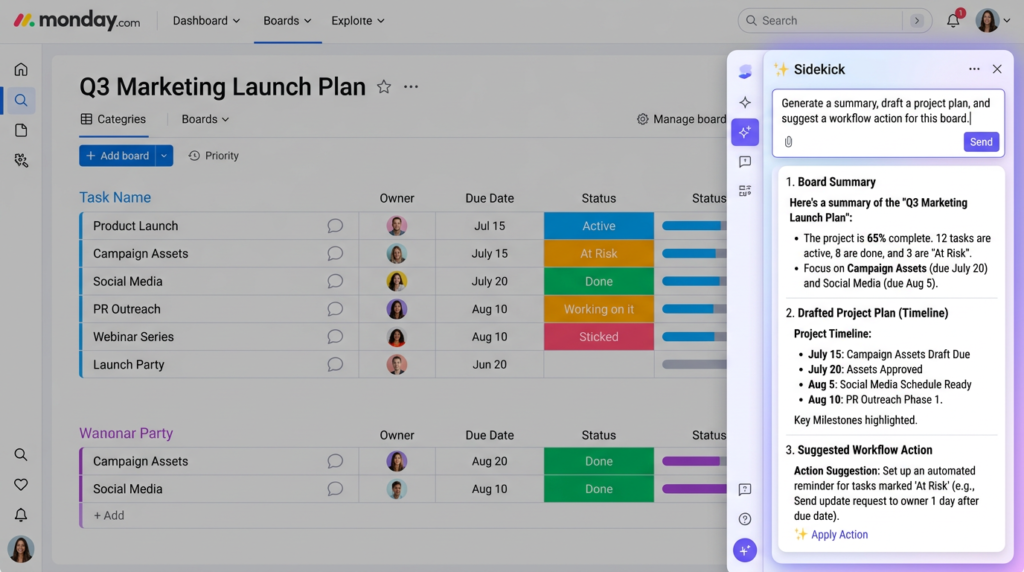
Monday AI and Sidekick
Monday.com’s AI has grown well beyond simple suggestions. The centrepiece is monday Sidekick — a context-aware AI assistant built into the workspace that can summarise boards and conversations, draft content and project plans, analyse data, notify teammates, and trigger workflows from a plain-language prompt. Because it’s connected to your boards, docs, and tools, it works with your actual data rather than in a generic chat window.
There’s also an AI agent workforce, an AI meeting notetaker, AI columns that run repetitive work inside boards, and an AI workflow builder on Pro and above. All of it runs on monthly AI credits bundled per plan — 1,000 on Basic, 2,000 on Standard, 3,000 on Pro, 20,000 on Enterprise. The honest assessment: the AI is genuinely useful and well-integrated, but the credits don’t roll over, so heavy AI users will need to buy more or ration usage. It’s capable; it’s just metered.
The ‘doing everything’ question
Monday.com now sells Work Management, CRM, Dev, and Service as separate products. The upside is a unified platform if you want sales, support, and projects in one place. The legitimate criticism — raised by thoughtful reviewers — is that expanding into so many categories risks diluting focus, and that the CRM and Service products are less mature than dedicated competitors. If you’re evaluating Monday.com purely as a project management tool, stick to Work Management and judge it on that. The other products existing doesn’t make the core product worse, but don’t buy the bundle expecting a best-in-class CRM.
Mobile app
The mobile app is functional and visually consistent with the desktop experience. It’s good for status updates, approvals, and checking board progress on the go — and there’s now a dedicated Sidekick mobile app for AI tasks too. The honest limit: complex board management, dashboard building, and workflow configuration are still desktop tasks. Use mobile to keep work moving, not to set it up.
Customer support
This is a genuine, frequently-praised strength: Monday.com offers 24/7 support on all plans, and multiple sources rate it around 9/10. It’s a real cross-category advantage. Asana reserves 24/7 support for Enterprise; ClickUp’s support doesn’t match Monday.com’s responsiveness. If support quality is a priority for your team, this is one of the clearest wins Monday.com has over its closest competitors.
Security
Monday.com’s published certifications cover the requirements of most organisations: SOC 2, ISO 27001, ISO 27018, GDPR compliance, and HIPAA on higher tiers, with annual security audits. For regulated industries, the certifications are real and verifiable. Stick to what’s published rather than what’s claimed in forums — the documented standards are solid.
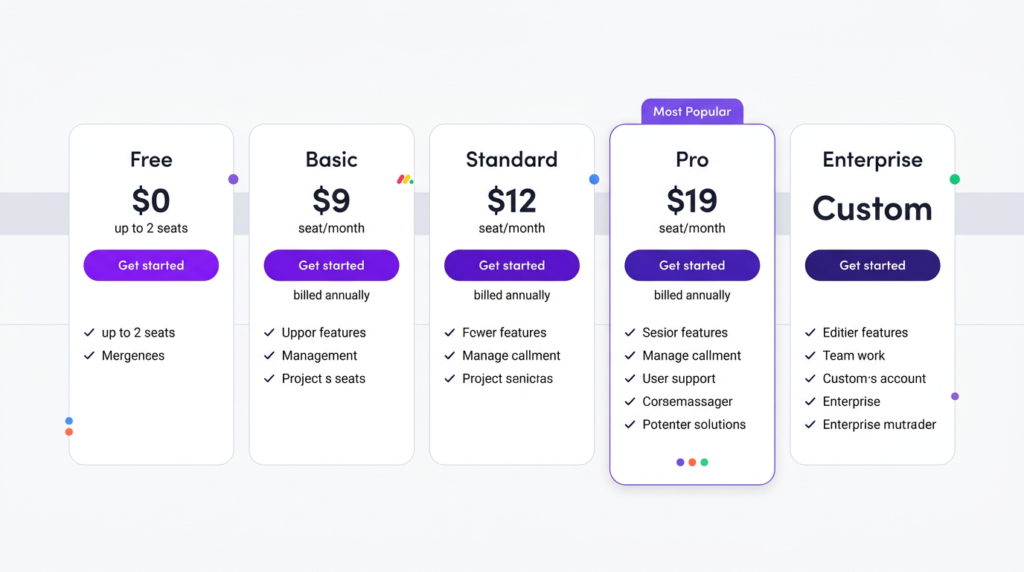
Monday.com Pricing
| Plan | Annual | Seats | Key Details |
| Free | $0 | Up to 2 | 3 boards, 3 Docs, 200+ templates, 8 column types. No automations, no integrations. |
| Basic | $9/seat/mo | 3-seat min | Unlimited boards and items, unlimited free viewers, 1,000 AI credits/mo. No automations, no timeline view. |
| Standard | $12/seat/mo | 3-seat min | Timeline/Gantt, automations (250/mo), integrations (250/mo), guest access, 2,000 AI credits/mo. |
| Pro | $19/seat/mo | 3-seat min | 25,000 automations/mo, time tracking, private boards, chart view, formula column, 3,000 AI credits/mo. |
| Enterprise | Custom | Custom | 250,000 automations/mo, portfolio + resource management, multi-level permissions, 20,000 AI credits/mo. |
| ⚠️ The 3-seat minimum: you pay for 3 seats even if you’re a team of 1Every paid plan requires a minimum of 3 seats. A solo user or two-person team that wants Standard features still pays for 3 seats — roughly $36/month on Standard, not $12. Over a year, that’s $216–$432 more than the per-seat price implies for very small teams. This is the single most-cited pricing complaint about Monday.com, and it’s the reason solo users and tiny teams should look elsewhere or stay on the free plan. |
| ⚠️ The automation cap cliff: 250 to 25,000 means a forced Pro upgradeStandard includes only 250 automation actions per month — an active team of five can exhaust that in 10–15 days. The next step up is 25,000 actions, which requires the Pro plan at $19/seat/mo, a ~58% per-seat increase over Standard. If automation is why you’re adopting Monday.com, you’re really on Pro from the start. Plan your budget around Pro, not Standard. |
Two more pricing notes worth knowing. First, the Basic plan ($9/seat/mo) has no automations, no integrations, and no timeline view — it’s rarely the right choice for any real team. Standard is the practical entry point. Second, the free plan caps at 2 users and 3 boards with no automations — treat it as a trial, not a long-term home.
| 💡 Negotiation tip: ~28% off is achievable at EnterpriseMonday.com’s Enterprise pricing is negotiable. Third-party data from Vendr shows that multi-year commitments and active pushback can yield discounts around 28%. If you’re buying at Enterprise scale, never accept the first quote — the list price is a starting point, not a fixed number. |
Monday.com Pros and Cons
| ✅ Pros | ❌ Cons |
| The visual board system is the easiest to adopt in the category — non-technical teams are productive within hours, not weeks | 3-seat minimum on all paid plans — a solo user pays for 3 seats (~$36/mo on Standard, not $12) |
| 200+ well-designed templates across marketing, CRM, dev, HR, and operations accelerate onboarding significantly | Standard automation cap of 250 actions/month is exhausted fast — active teams are pushed to Pro (a ~58% per-seat jump) |
| Client-facing dashboards are visually polished — a standout for agencies reporting to clients | No native email-to-task — every task is created manually, a real cost for inbox-driven teams |
| 24/7 support on all plans is a genuine, frequently-praised strength — rated 9/10 by multiple sources | Basic plan has no automations, no integrations, and no timeline — rarely the right choice for any team |
| 20+ column types and 6+ views make the boards genuinely flexible for non-technical configuration | AI features run on a monthly credit allowance that doesn’t roll over — heavy AI use can require buying more credits |
| The automation builder is genuinely intuitive — visual ‘when this, then that’ logic with no coding required | The expansion into CRM, Dev, and Service has drawn criticism that Monday.com is spreading its focus too wide |
| Monday Sidekick AI is context-aware and built into the workspace, not bolted on — useful for summaries, planning, and content | Some users perceive Monday.com’s positive reviews as inflated — a vocal pocket of criticism exists online |
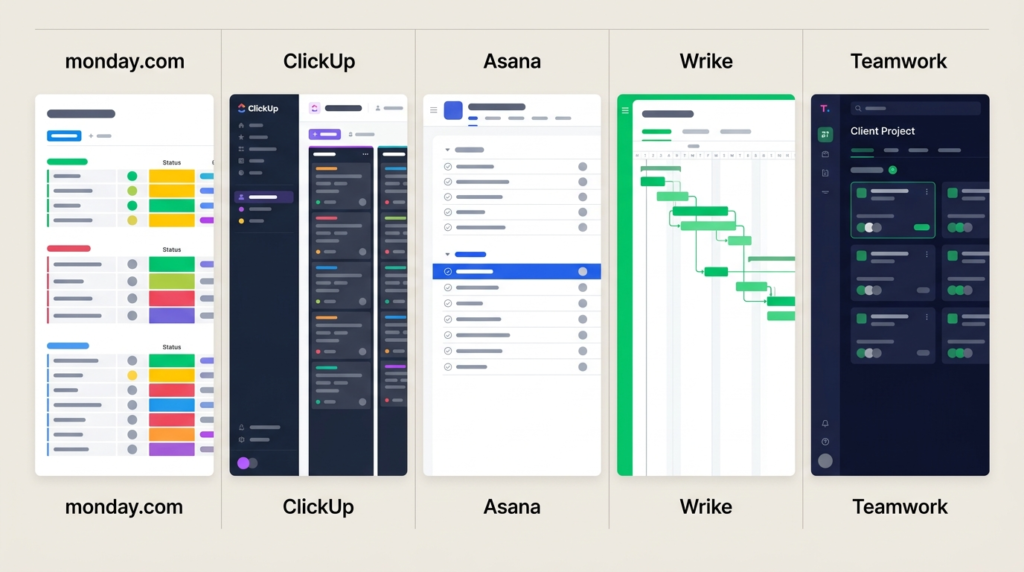
Monday.com vs. the Alternatives
This is the comparison that matters most, because Monday.com rarely gets evaluated alone. Here’s how it stacks up against the four tools it’s most often weighed against:
| Monday.com | ClickUp | Asana | Wrike | Teamwork | |
| Starting price (annual) | $9/seat/mo | $7/seat/mo | $10.99/seat/mo | $10/seat/mo | $9.99/seat/mo |
| Free plan | 2 users | Unlimited members | 2 users | 5 users | 5 users |
| Seat minimum | 3 seats | None | 2 seats | 2 seats | 3 seats |
| Automation cap (entry paid) | 250/mo (Standard) | Unlimited rules | Unlimited rules | Tiered | Tiered |
| Best for | Visual / non-technical | Feature depth | Structured teams | Enterprise / creative | Agency / client work |
| Learning curve | Low | High | Low–medium | High | Medium-high |
| 24/7 support | All plans | No | Enterprise only | Tiered | Tiered |
Monday.com vs. ClickUp
This is the single most common comparison, and it comes down to adoption vs. value. Monday.com is easier to adopt, has a more polished interface, better client-facing dashboards, and 24/7 support. ClickUp delivers more features per dollar, more flexibility, a far more generous free plan, and unlimited automation rules — but with a steeper learning curve. Monday.com wins on adoption speed; ClickUp wins on value. If your team is non-technical, Monday.com. If you want maximum capability per dollar and will invest in setup, ClickUp. Full detail in my full ClickUp review.
Monday.com vs. Asana
Both are strong on usability, but they differ in character. Monday.com is more visual and more customisable at the board level; Asana is cleaner and more structured, with a slightly faster path for pure task management. Asana’s free plan and 2-seat minimum make it marginally friendlier to very small teams; Monday.com’s 3-seat minimum is a real cost difference. Monday.com’s 24/7 support beats Asana’s Enterprise-only support. See my Asana review for the deeper look.
Monday.com vs. Wrike and Teamwork.com
Wrike is the enterprise-grade alternative — deeper Gantt charts, built-in proofing, and a denser interface built for complex workflows. Teamwork.com is the agency and client-work specialist — native client portal, retainer management, and billable time tracking that Monday.com doesn’t match. If your work is client-billable, Teamwork.com is worth a serious look; if you need enterprise project governance, Wrike. See my Wrike review and my Teamwork.com review for the full comparisons.
Who Should NOT Use Monday.com?
A negative thread ranks on the first page of results for this exact search — one user arguing the platform’s positive reviews feel inflated. I won’t dismiss that. Monday.com is genuinely good for the right team, and it genuinely frustrates the wrong one. Here’s who should look elsewhere:
- Solo users and two-person teams — The 3-seat minimum means you pay for capacity you don’t use. Stay on the free plan or choose a tool without a seat floor, like ClickUp.
- Budget-constrained teams — Once you account for the 3-seat minimum and the likely Pro upgrade for automation, Monday.com is one of the more expensive options. ClickUp delivers more capability per dollar if budget is the priority.
- Heavy-automation teams on a tight budget — The Standard 250-action cap forces a Pro upgrade. If you need serious automation but can’t justify Pro pricing, the math doesn’t work as well as it does on tools with unlimited automation rules.
- Inbox-driven teams — No native email-to-task is a real daily cost if your team works primarily from email. Verify the workaround integrations meet your needs before committing.
- Teams wanting a best-in-class CRM in the bundle — Monday.com’s CRM and Service products are functional but less mature than dedicated tools. Buy Monday.com for Work Management, not as a Salesforce or Zendesk replacement.

Final Verdict: Is Monday.com Worth It?
Monday.com is worth it for visual and non-technical teams that need fast adoption and polished dashboards — with budget for Standard or Pro. Hesitation is warranted for solo users (the 3-seat minimum), budget-constrained teams, and heavy-automation users, since the Standard cap forces a Pro upgrade. You’re paying a premium for adoption speed and visual polish. For the right team, that premium is worth it.
My verdict by team type:
- Marketing and creative teams: Strong yes — the visual boards and client dashboards are purpose-built for this work, and adoption is fast.
- Non-technical teams of any kind: Yes — this is the easiest serious PM tool to roll out, and 24/7 support backs it up.
- Budget-first or heavy-automation teams: Look at ClickUp first — it delivers more per dollar, especially on automation.
- Solo users and tiny teams: Use the free plan, or choose a tool without a 3-seat minimum.
Monday.com offers both a free plan and a 14-day Pro trial. Start free to test the boards, or try Pro free for 14 days if you want to evaluate automation and time tracking before deciding. Try Monday.com free.
Frequently Asked Questions
Is Monday.com worth it?
Monday.com is worth it for visual and non-technical teams that need fast adoption and polished dashboards, with budget for the Standard or Pro plan. It’s less suited to solo users (the 3-seat minimum), budget-constrained teams, and heavy-automation users, since the Standard automation cap forces a Pro upgrade. You’re paying a premium for adoption speed — for the right team, it’s justified.
What is Monday.com used for?
Monday.com is a visual Work OS for managing projects, workflows, and team operations. Teams build customisable boards to track tasks, automate routine steps, visualise timelines on Gantt charts, and report progress through dashboards. It’s especially popular with marketing teams, creative agencies, operations, and HR teams that value a visual, approachable interface over a traditional project management tool.
Is Monday.com better than ClickUp?
It depends on your priority. Monday.com is easier to adopt, has a more polished interface, better client-facing dashboards, and 24/7 support on all plans. ClickUp offers more features per dollar, more flexibility, a more generous free plan, and unlimited automation rules — but a steeper learning curve. Monday.com wins on adoption speed; ClickUp wins on value. See my full ClickUp review for the full comparison.
Does Monday.com have a free plan?
Yes — the free plan supports up to 2 users and 3 boards, with no automations or integrations. It’s best treated as a trial rather than a long-term solution. Paid plans start at $9/seat/mo (Basic, annual) with a 3-seat minimum, so the real entry cost for a small team is higher than the per-seat price suggests.
Why is Monday.com so expensive?
The 3-seat minimum and per-seat pricing mean small teams pay more than the headline rate implies — a solo user pays for 3 seats. On top of that, the Standard plan’s 250-action automation cap pushes active teams to the Pro plan at $19/seat/mo. The value is real for visual, non-technical teams, but the effective cost runs higher than the advertised per-seat price.
Sources
Monday.com pricing page (verified May 26, 2026)

Recent Posts
Monday.com Review 2026: Is It Still the Best Work OS?
I tested Monday.com against ClickUp, Asana, and Wr...
Updated July 27, 2026

AI Writing Software for Blogging in 2026: Best Tools + How to Stay AI-Search Vis...
The best AI writing software for blogging in 2026 ...
Updated July 20, 2026
HubSpot Review 2026: Is It Worth the Cost?
I tested HubSpot’s free CRM, Starter, and Pr...
Updated July 20, 2026
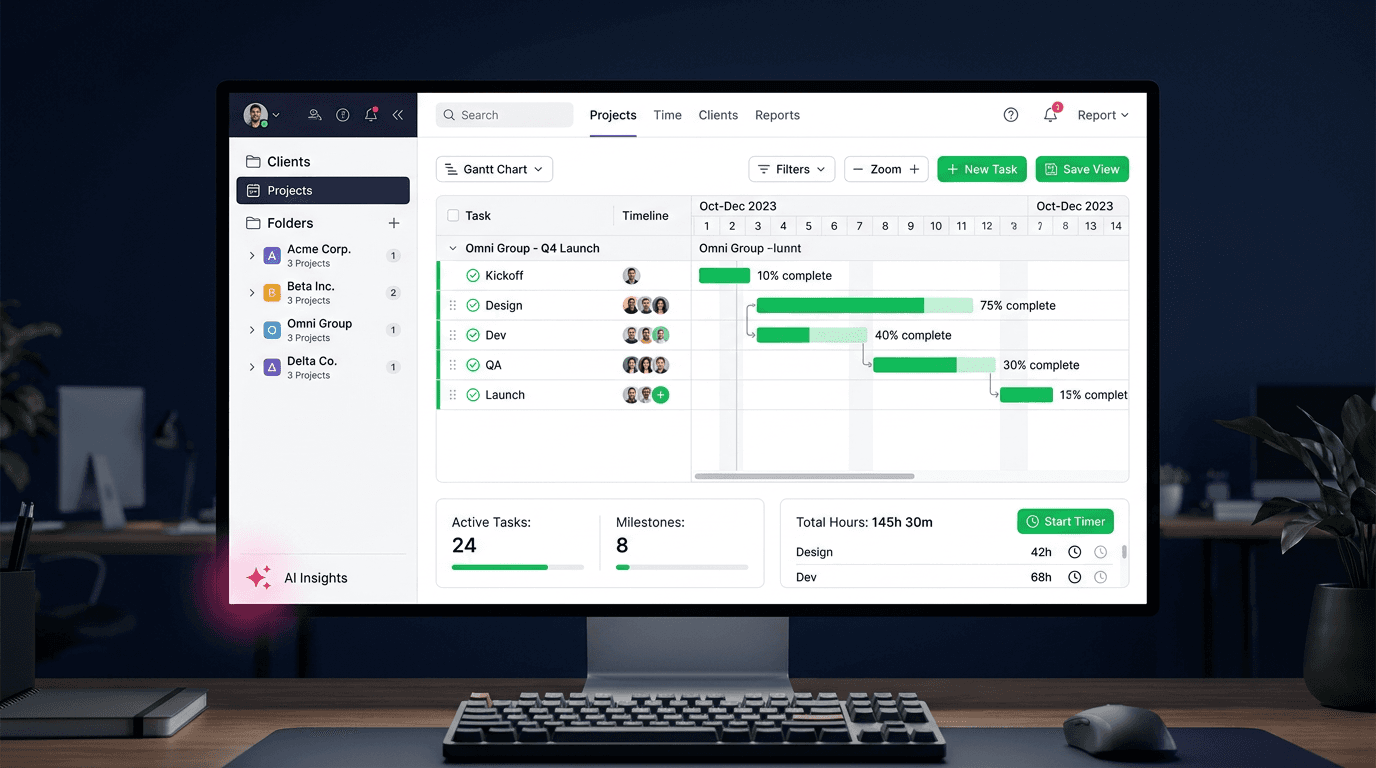
Teamwork.com Review 2026: Is It the Best PM Tool for Client Work?
I tested Teamwork.com for agency and client projec...
Updated May 29, 2026
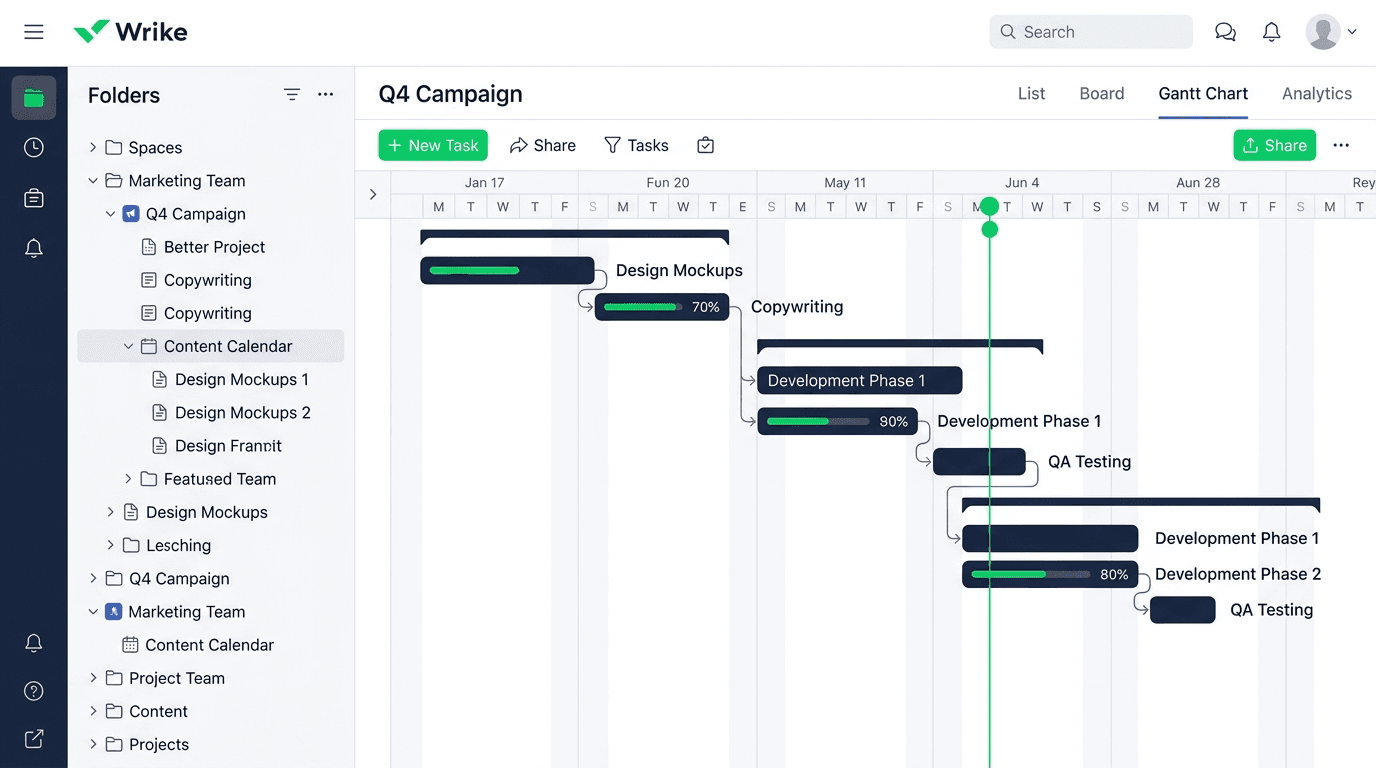
Wrike Review 2026: Is It Worth the Cost?
I tested Wrike in real enterprise workflows. Here&...
Updated May 29, 2026
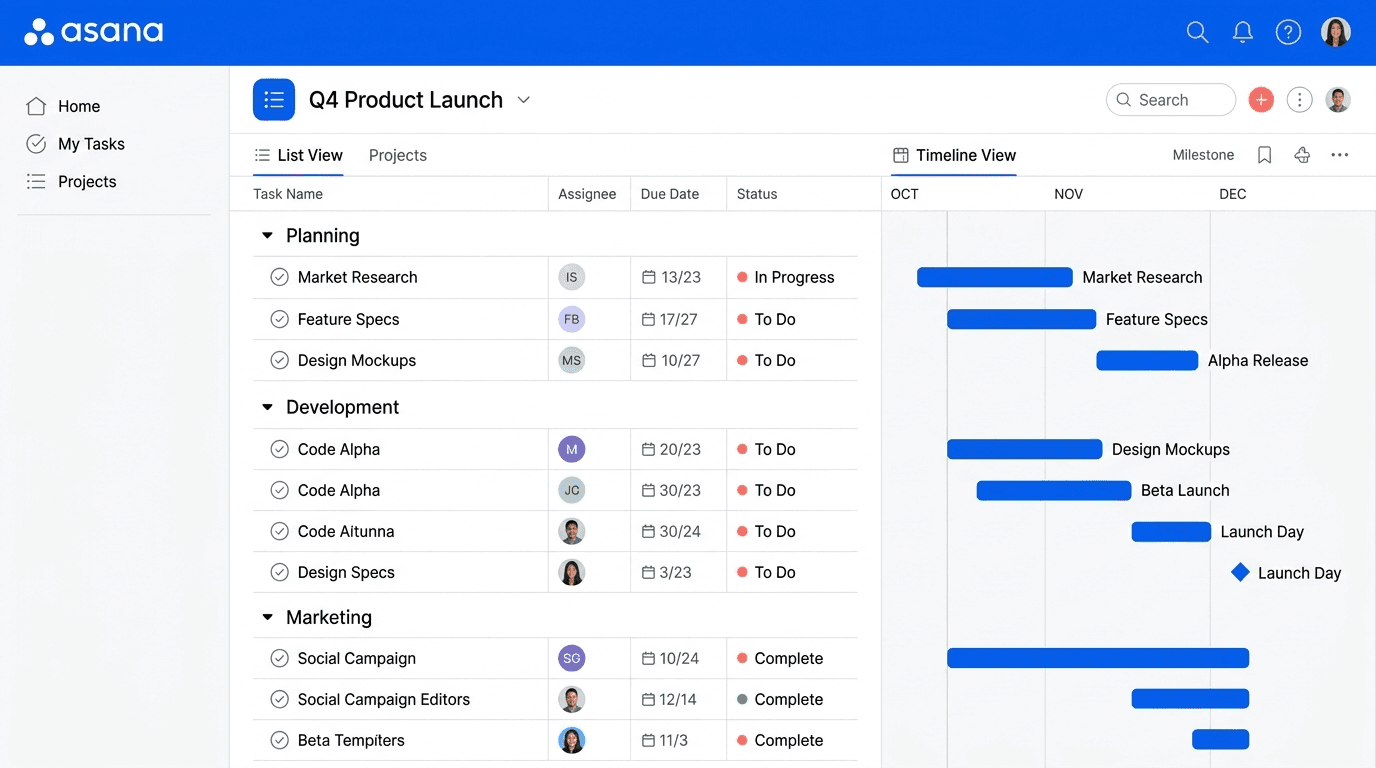
Asana Review 2026: Is It Worth It? (Honest, In-Depth Analysis)
I tested Asana across real team workflows. Here...
Updated May 29, 2026
Newsletter
Don't miss a thing!
Sign up to receive daily news